

Most content creators treat AI tools like Pokémon- gotta catch’em all
ChatGPT for drafting. Notion AI for organizing. Jasper for emails. Copy.ai for social posts. Midjourney for images. Surfer for SEO. Grammarly for editing.
Then you sit down to create something, and the first question isn’t “what should I write?” It’s “which tool should I use?”
You spend 10 minutes deciding between platforms, and another 5 remembering which one does what. That’s exactly what a minimal ai tool stack is designed to prevent – focus fracture before you even start.
That’s not a productivity system. That’s decision overhead disguised as capability.
Here’s what actually happens when your tool stack gets bloated: every tool adds friction. More logins. More interfaces to learn. More updates are breaking your workflow. More subscription emails. More “which one was better for this again?” paralysis.
A minimal AI tool stack doesn’t mean you’re missing out. It means you’ve made decisions once so you don’t have to make them every single time you sit down to create.
Research shows that switching between tools consumes up to 40% of productive time – roughly five working weeks lost per year just to context-switching. Three tools cover 90% of your content needs without that friction.
Three tools. Clear roles. Zero overlap. That’s what minimal ai tools for creators actually look like in practice.
When your stack is small enough to hold in your head, content creation becomes about the work, not managing the tools doing the work.
Table of Contents
Why more AI tools actually slow down your content creation
The productivity paradox: More AI tools, less output
You add tools to get faster. You end up slower.
A startup in Austin learned this the hard way. Started with ChatGPT and Notion. Added Jasper for variety. Then Copy.ai because someone recommended it. Grammarly for editing. Surfer for SEO. Before they knew it, they had 52 different tools across the team.
The problem wasn’t the tools themselves. The problem was the cost of having them all. A minimal ai tool stack solves this by eliminating the overhead before it starts.
Not the subscription cost. The hidden cost nobody talks about until it’s eating half your day.
| Hidden Cost | What It Looks Like | Real Impact |
|---|---|---|
| Context switching tax | 3-5 minutes of mental recalibration every time you change tools | 1-2 hours lost daily; costs $50K+ per person annually |
| Decision paralysis | Staring at 7 open tabs, unable to pick which AI to use | Tasks abandoned before they start; lower satisfaction with output |
| Learning curve multiplication | Every tool update means relearning the interface and workflow | Extended onboarding; team resistance to using features |
| Integration hell | Tools don’t sync, forcing manual copy-paste between platforms | 40% more time spent on rework; quality drops from transfer errors |
| Subscription fatigue | Mental overhead of managing payments, renewals, and which tier you’re on | 53% of licenses go unused; decision fatigue about what to cancel |

The context-switching tax that kills your focus
Every time you switch from one tool to another, your brain has to reload context.
Research from UC Irvine shows it takes 23 minutes to fully refocus after an interruption. Not 23 seconds. Twenty-three minutes.
My friend Jake in Seattle tracked this for a week. Every time he switched from ChatGPT to Notion to his email tool to his scheduling app, he logged it. By Friday, he’d switched tools 47 times. Even at just 5 minutes of recalibration per switch, that’s nearly 4 hours of lost focus.
He wasn’t creating content for 4 hours that week. He was managing the tools that were supposed to help him create content.
The global cost of this? Studies estimate between $450 billion and $650 billion annually in lost productivity from multitasking and tool-switching alone.
Decision paralysis: Too many AI tools, zero direction
When you have too many options, your brain stops deciding and starts spinning.
Sarah runs a marketing agency in Portland. She has access to ChatGPT, Claude, Jasper, Copy.ai, and Writesonic. All paid subscriptions.
Every morning, she opens a blank doc to write her newsletter. Then she stops. Which tool should she use? ChatGPT is fast but sometimes generic. Claude writes better long-form. Jasper has templates. Copy.ai has the frameworks she likes.
Ten minutes later, she’s still deciding. Some mornings, she gives up and writes it manually just to avoid the choice.
That’s decision paralysis. The tool stack isn’t helping. It’s blocking.
The integration hell of a bloated AI tools workflow stack
When tools don’t talk to each other, you become the bridge.
A creator I know in Denver uses ChatGPT for drafting, Notion for storage, Canva for graphics, and Buffer for scheduling. Sounds clean enough.
Here’s his actual workflow: Draft in ChatGPT. Copy to Notion. Realize he needs to adjust tone. Copy back to ChatGPT. Re-prompt. Copy the new version to Notion. Export to Google Docs to share with his VA. VA edits. Copy final version back to Notion. Export again for Buffer. Paste into Buffer. Check formatting. Post.
Seven copy-paste actions for one post. Each one is a chance for something to break, formatting to mess up, or a section to get lost.
Studies show this kind of manual bridging adds 40% more time to every task. It’s not creating. It’s data transfer.
The $21 million problem: What tool bloat actually costs
Large organizations waste a median of $21 million per year on unused software.
But this isn’t just a big company problem. That Austin startup I mentioned? They had 35 employees and 52 tools. Audit showed 30 of those tools were “zombies”- paid for but barely used.
They were spending $2,900 per month on tools that didn’t move the business forward. That’s $34,800 per year. For a small team, that’s a full salary.
After cutting down to 22 actually useful tools, they saved money and, more importantly, regained 3 hours per week per person. That’s 455 hours per year across the team.
Time they spent creating instead of tool-hopping.
The 3-tool minimal AI tool stack for content creation
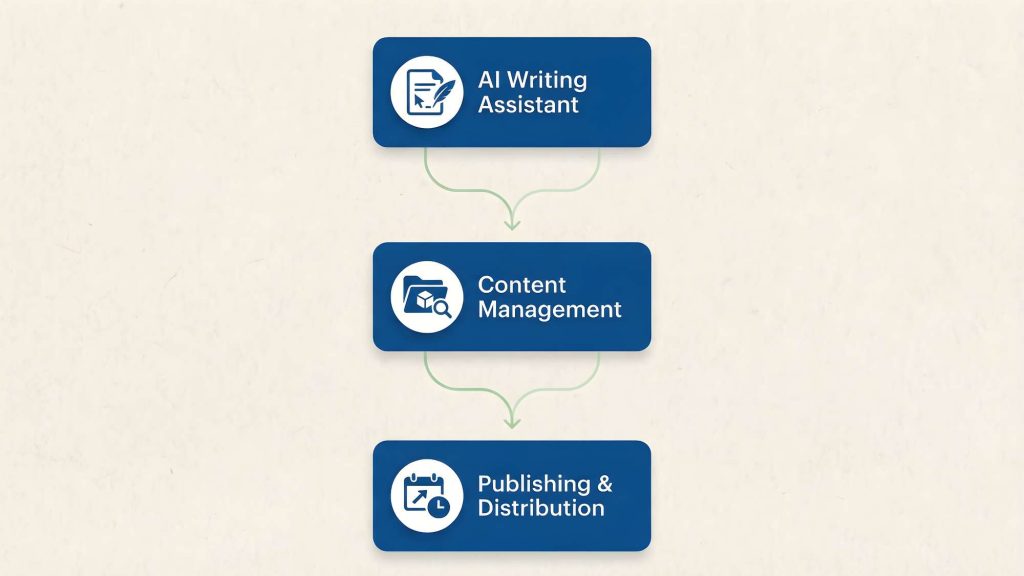
Here’s the complete minimal ai tool stack: one tool per job, zero overlap, maximum clarity.
| Tool Category | Recommended Options | Job | Why Just One |
|---|---|---|---|
| AI Writing Assistant | ChatGPT or Claude | Drafting, ideation, editing | Platform switching kills flow state |
| Content Management | Notion or Google Docs | Organization, storage, scheduling | Single source of truth prevents version chaos |
| Distribution | Buffer, Later, or native platform | Scheduling and posting | Reduces platform-hopping and login fatigue |
Tool 1: AI writing assistant – the core of your AI writing content stack
The job: Generate first drafts, expand ideas, edit for clarity, brainstorm angles.
Why just one: Every time you switch between ChatGPT and Claude and Jasper, you’re relearning how each one “thinks.” They have different personalities, different prompt styles, and different strengths.
Pick one. Learn it deeply. Build a library of prompts that work consistently.
Which one to pick:
If you write long-form content (articles, guides, reports), use Claude. It maintains tone and consistency across 3,000+ words better than anything else.
If you need speed and variety (social posts, emails, quick brainstorms), use ChatGPT. It’s faster for short-form and handles pivot requests well.
Don’t use both. Pick one based on your primary content type.
Setup:
Create 3-4 reusable prompt templates and save them in a doc:
Strategist prompt: “Act as a content strategist. My business goal is [goal]. My audience is [audience]. Give me 3 different angles I could take for content this week.”
Researcher prompt: “I’m writing about [topic]. Find the 3 most important points I should cover. Include one counterargument I should address.”
Writer prompt: “Write a 600-word [format] about [topic]. Tone: [conversational/professional]. Include one example. End with a question.”
Editor prompt: “Review this draft. Check for: clarity, factual accuracy, tone consistency, and any risky claims I should verify.”
That’s it. Four prompts handle 90% of content creation. Copy-paste, fill in the brackets, done.
My friend in Chicago built her AI writing content stack in January with just four prompts. Six months later, she’s still using the same ones. Hasn’t needed a second AI tool once.
Tool 2: Content Management – your single source of truth
The job: Store ideas, organize drafts, track what’s published, schedule what’s next.
Why just one: When your content lives in three different places, you waste time hunting for the right version. “Was the final draft in Notion or Google Docs? Did I update the one in Evernote?”
One system. One source of truth. Always.
Which one to pick:
If you work solo and want flexibility, use Notion. Build a simple database with statuses (Idea → Draft → Scheduled → Published).
If you collaborate with others or want zero learning curve, use Google Docs. Everyone knows how to use it. Sharing is instant. Commenting is built-in.
Don’t use both. Pick one and commit.
Setup:
Create three folders (or Notion databases):
Pipeline: Four statuses – Ideas, Drafting, Ready to Publish, Scheduled
Published Archive: Everything that’s live
Brief Templates: Your repeatable formats (newsletter template, LinkedIn post template, etc.)
That’s the whole system. Ideas flow left to right through the pipeline. When something publishes, it moves to the archive.
A guy I know in Phoenix has used this exact minimal ai tool stack structure for two years. Publishes 3 times per week. Has never lost a draft or forgotten what stage something’s in.
Tool 3: Distribution and publishing – schedule once, Post everywhere
The job: Schedule posts, manage multiple accounts, publish on time without you having to remember.
Why just one: If you’re using Buffer for LinkedIn, Later for Instagram, and native scheduling for Twitter, you’re logging into three different places every week just to queue content.
Pick one tool that handles all your platforms. Or use native scheduling for everything.
Which one to pick:
If you post to 2+ platforms and want centralized scheduling, use Buffer or Later. Both handle the major platforms. Buffer is simpler. Later has better Instagram features.
If you only post to one platform (just LinkedIn or just Twitter), use native scheduling. No third-party tool needed. Just draft, schedule, done.
Don’t split your scheduling across multiple tools. It’s decision overhead every time you publish.
Setup:
Connect all your accounts to your chosen tool. Build a weekly template: “Monday 9am: LinkedIn post. Wednesday 11am: Twitter thread. Friday 3pm: LinkedIn post.”
Pre-load your drafts from Notion once per week. Schedule everything in one 20-minute session. Close the tool. You’re done until next week.
Sarah in Austin does this every Sunday morning. Takes 15 minutes. Her entire week of content is queued before she’s finished her coffee.
What minimal AI tools for creators don’t need in their stack
Notice what’s missing. These omissions are deliberate.
No SEO tools: Why you don’t need them yet
You don’t need Ahrefs, SEMrush, Surfer, or any premium SEO platform when you’re starting.
Use free alternatives: Google Search Console (shows what’s working), Ubersuggest free tier (basic keyword research), or just Google autocomplete (shows what people actually search).
Once you’re publishing consistently and driving real traffic, then consider adding an SEO tool. Not before.
No image generators: Free alternatives work just as well
Midjourney, DALL-E, Stable Diffusion- all optional.
Use free stock photo sites (Unsplash, Pexels) or Canva’s free tier for simple graphics. Most content doesn’t need custom AI-generated images. A clean layout and good writing win over mediocre AI art every time.
If you’re posting daily and images are core to your content, then add one. Otherwise, skip it.
No grammar checkers: Your AI writing tool already does this
You don’t need Grammarly, ProWritingAid, or Hemingway App.
Your AI writing assistant already handles grammar and clarity. Claude and ChatGPT both edit for tone, fix errors, and improve readability.
Running content through AI, then through Grammarly, then doing a manual edit is triple-checking. Pick two steps max. AI edit plus your own read is enough.
No analytics dashboards: Native platform data is enough
You don’t need Google Analytics, Mixpanel, Hotjar, or any third-party analytics tool.
Every platform has native analytics. LinkedIn shows you post performance. Twitter gives you impressions and engagement. Substack tracks opens and clicks.
That’s enough data to know what’s working. Paying for a dashboard that aggregates metrics you can see for free is tool bloat.
Use native analytics until you have enough traffic that manual checking becomes a bottleneck. For most creators, that’s 10K+ monthly visitors. You’re not there yet.
The one-week tool diet challenge: From bloated stack to minimal AI tool stack

Here’s how you go from cluttered to clean in 7 days.
| Days | Phase | What You Do | Expected Outcome |
|---|---|---|---|
| Day 1-2 | Audit | List every tool you have access to; track which ones you actually open | Clear picture of what’s used vs. what’s dead weight |
| Day 3-4 | Choose | Pick your 3 using the decision framework below | Your minimal stack is defined |
| Day 5-7 | Delete | Unsubscribe, cancel, remove everything else | Clean slate; zero subscription fatigue |
Days 1-2: Audit every tool you currently use
Open a blank doc. List every tool you’ve logged into in the last 30 days.
Don’t just list what you pay for. List everything: free trials, freemium accounts, tools you meant to cancel, tools your team uses that you forgot about.
Then track usage. For two days, every time you open a tool, mark it. At the end of day two, you’ll see exactly which tools you actually use versus which ones are digital clutter.
Jake in Seattle did this and was shocked. He had accounts for 14 different tools. Used 4 regularly. The other 10 were “just in case” tools he opened maybe once a month.
Days 3-4: Choose your 3 tools using the decision framework
Use this framework to pick your minimal stack:
For each tool, ask:
Does it save me more than 1 hour per week? (If no, cut it.)
Does it integrate with my other tools, or does it create manual work? (Manual work = cut it.)
Do I use it at least 3 times per week consistently? (If no, cut it.)
Pick one tool per category:
AI Writing: ChatGPT or Claude
Content Management: Notion or Google Docs
Distribution: Buffer, Later, or native scheduling
Everything else is optional. If you can’t justify it with the three questions above, it doesn’t make the cut.
A creator in Denver built her AI tool stack for content creation from scratch – went from 19 tools to 3. First week felt weird. By week two, she said it felt like her brain had been decluttered.
Days 5-7: Delete, unsubscribe, and protect your minimal stack
This is the hardest part. You’ll feel FOMO. “What if I need this later?”
You won’t. And if you do, you can always resubscribe.
Action steps:
Cancel paid subscriptions. (Use this script: “Hi, I’m streamlining my tools. Please cancel my subscription. Thanks.”)
Delete accounts you’re not using. (Most tools have a “delete account” option in settings.)
Remove apps from your phone and bookmarks from your browser.
What to expect:
Days 5-6: FOMO and second-guessing. Totally normal. Push through.
Day 7: Relief. Faster startup time when you sit down to create. Less decision fatigue.
Week 2: You’ll wonder why you waited so long to do this.
My friend in Austin did the challenge in March. By April, she’d saved $140 per month and gained back 4 hours per week. Not from working faster. From eliminating the overhead of managing 15 tools she didn’t need.
When to add a fourth tool (and when not to)
The minimal ai tool stack isn’t a prison. It’s a filter. Every addition needs to earn its place.
You can add a fourth tool. But only if it passes these tests.
RED FLAGS: Signs you don’t need a fourth tool
“It would be nice to have…”
That’s a want, not a need. Nice-to-have tools become expensive decorations. Pass.
It overlaps with existing tool capabilities.
If your AI writing assistant already edits grammar and your new tool also edits grammar, that’s redundant. You’re paying twice for the same function. Pass.
It solves a problem you encounter less than weekly.
If you only need video editing once a month, rent the tool for that month or use a free option. Don’t add a $30/month subscription for something you’ll use 12 times a year. Pass.
GREEN LIGHTS: Signs your minimal AI tool stack needs expanding
There’s a clear gap in your workflow.
Example: You post videos daily and your current stack has no video editor. That’s a genuine gap. Adding one makes sense.
You’ve used it 3+ times per week for a full month.
Not during a free trial where you’re testing it out. A full month of real, consistent use. If you hit that threshold, the tool has proven its value.
It measurably saves time you can quantify.
“This tool saves me 30 minutes every time I use it” is quantifiable. “This tool makes me feel more organized” is not. If you can’t measure the time saved, you can’t justify the cost.
A guy I know in Phoenix added Descript as his fourth tool six months into his minimal stack. He posts 5 videos per week. Editing was taking 2 hours per video. Descript cut that to 30 minutes.
Clear gap. Frequent use. Measurable time savings. That’s when you add a fourth tool.
But he didn’t add a fifth. And he won’t unless something else hits the same standard.
Minimal AI tool stack maintenance: Keep it lean over time

A minimal stack isn’t set-it-and-forget-it. It’s set-it-and-audit-it.
Quarterly review: 30 minutes every 3 months
Block 30 minutes to review your ai tools workflow stack. Ask these questions:
Am I still using all 3 tools regularly?
If one has become dead weight, replace it or cut it.
Are these still the best options available?
Tools evolve. New ones launch. What was best in January might not be best in June.
Is anything creating friction that didn’t used to?
If a tool starts feeling clunky or you’re working around it instead of with it, that’s a sign to reevaluate.
Sarah in Portland does this the first Monday of every quarter. Takes 20 minutes. She’s swapped tools twice in the past year- not because the old ones were bad, but because better options emerged.
Yearly audit: Realign your stack with how you actually work
Deeper review. Block an hour.
What tools launched this year that might replace something in my stack?
Read “best tools of 2026” roundups. Test one or two during a slow week.
Could I consolidate further?
Maybe your content management and distribution could merge into one tool. Maybe native scheduling has improved enough that you can drop Buffer.
Is my stack still aligned with how I actually create content?
If you’ve shifted from writing to video, your stack needs to reflect that. Don’t keep a writing-focused stack when you’re a video creator now.
A creator in Denver does this every December. Calls it her “year-end tool cleanse.” Keeps her stack lean and relevant.
The one-in-one-out rule: The maintenance protocol that prevents backsliding
This is the maintenance protocol that prevents backsliding.
Before you add any new tool, you must name the tool you’re removing.
If you can’t name one to remove, you don’t add the new one. Period.
This forces you to evaluate whether the new tool is actually better than what you have, or just shinier.
Jake in Seattle has followed this rule for 18 months. His stack is still 3 tools. He’s tested probably 10 new tools in that time. Only one made the cut, and it replaced an existing tool, not added to it.
That’s how you keep a minimal stack minimal.
The Real Shift
A minimal AI tool stack isn’t about deprivation. It’s about clarity.
You’re not missing out by building a minimal ai tool stack of three tools instead of fifteen. You’re getting your focus back – and your output up.
Every tool you remove is a decision you stop making. Every subscription you cancel is mental overhead you eliminate. Every interface you stop learning is energy you redirect toward creating.
The goal isn’t to have the fewest tools possible. The goal is to have exactly enough tools to do the work, and not one more.
Three tools. Clear roles. Zero overlap.
That’s the stack that lets you create instead of manage. That’s the stack that survives when life gets chaotic. That’s the stack you can hold in your head without needing a flowchart to remember which tool does what.
Build it once. Audit it quarterly. Protect it with the one-in-one-out rule.
When your stack is calm, your content creation can be too.
Ready to choose your AI tools without the overwhelm?
Now that your minimal AI tool stack is defined, here are your next steps :
- Get the complete framework in the guide to choosing AI tools for content creation.