
You spend $3,000 per month on Meta ads. ROAS sits at 2.1x. You need 3.5x to scale profitably.
Manual bid adjustments, audience tweaks, and creative tests consume hours for marginal gains. You are optimizing on yesterday’s data while your budget burns in real time.
AI ads optimization ecommerce strategies change that equation entirely.
AI processes performance data in real time. It adjusts bids instantly. It identifies winning audiences before you see the pattern. It scales what works and cuts what does not, without delay and without consuming your evenings.
This guide shows you exactly how to implement AI ads optimization for your Shopify or WooCommerce store. Which optimization areas deliver the most ROI. Which mistakes destroy margin. And how to know when you are ready to scale versus when you need to optimize first.
Let’s start with why AI consistently outperforms manual ad management.
Table of contents
AI Ads Optimization Ecommerce: 3 Areas Where It Delivers Measurable ROAS

Effective ad optimization AI systems process performance data in real time, something no human manager can match at scale. Manual ad management doesn’t scale. You adjust bids based on yesterday’s data. You pause underperforming ads too late. You miss optimization opportunities because you can’t monitor campaigns 24/7.
AI processes data in real time. It adjusts bids instantly based on performance signals. It identifies winning audiences before you see the pattern. It scales what works and cuts what doesn’t without delay.
A Chicago Shopify seller managed Meta ads manually. After implementing AI bid optimization, ROAS improved within weeks. Same budget, better results, less manual work.
US ad costs on Meta and Google have risen significantly since 2022. Average CPMs on Meta increased 20-30% year-over-year during Q4 2023. Google Shopping CPCs in competitive ecommerce categories (apparel, electronics, home) regularly exceed $2-$4. Manual optimization at these cost levels isn’t just inefficient, it’s financially dangerous. AI bid management that reacts in minutes to performance signals, not hours or days, is the only approach that protects margin when auction prices spike during Black Friday week.
Key insight: AI optimizes faster than humans can manually. Related: Ads only work when product pages convert. Read our guide on AI product content optimization, /ai-product-content-conversion
Related: See how this fits into the complete AI revenue optimization framework. /ai-revenue-optimization-framework-ecommerce
The 3 AI Ads Optimization Areas That Deliver Real ROI for Ecommerce Stores
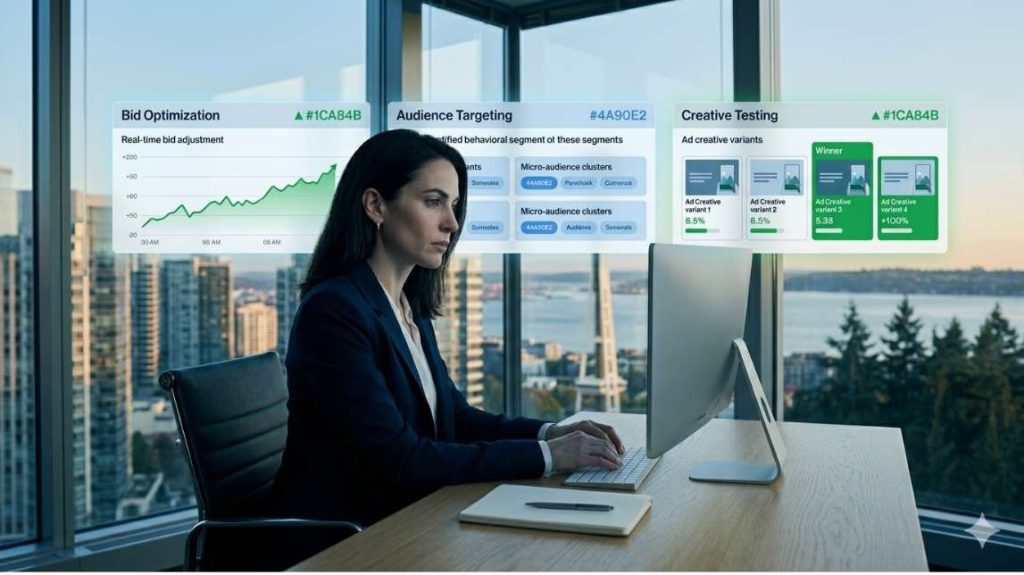
Bid optimization and budget allocation
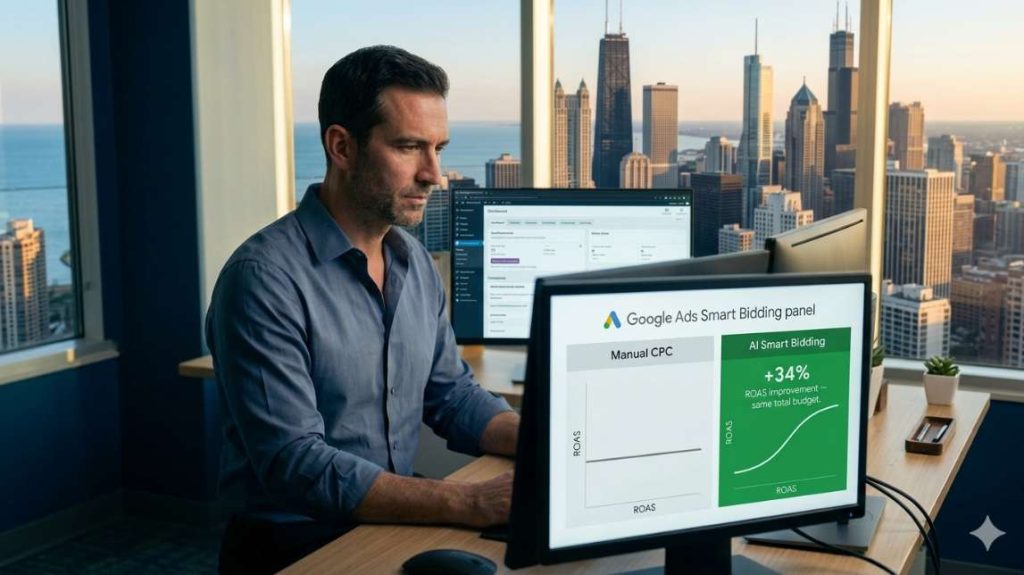
Roas optimization AI delivers measurable results in three specific areas where manual management consistently underperforms. Manual bidding means you set a target and hope the platform delivers. AI bidding adjusts in real time based on conversion probability. You’re not just telling Meta or Google what to spend. AI tells them when to spend it, on which audiences, and at what bid level to maximize conversions within your target ROAS.
A Memphis WooCommerce seller used manual CPC bidding on Google Ads. After switching to AI-powered smart bidding with flexible budget allocation, ad spend shifted automatically to high-performing campaigns. Overall ROAS improved without increasing total budget.
Key insight: AI adjusts bids and budgets based on real-time performance, not schedules.
Audience targeting and segmentation
Broad audiences waste money. Narrow audiences limit scale. Finding the balance manually takes weeks of testing.
AI identifies patterns in who converts and builds lookalike audiences automatically. It segments based on behavior, not demographics. It finds profitable micro-audiences you wouldn’t discover manually.
An El Paso Shopify seller targeted broad interest audiences on Meta. After implementing AI audience segmentation, Meta identified specific behavioral signals. CPA dropped substantially while maintaining volume.
Key insight: AI finds converting audiences faster than manual testing.
Creative testing and iteration
Running the same ad creative for months kills performance. Audience fatigue sets in. CTR drops. CPA rises. Manual creative testing means launching five variations, waiting two weeks, picking a winner, then starting over. AI tests continuously and rotates creatives automatically based on performance.
A Raleigh ecommerce store ran static image ads on Meta for 90 days. They generated 10 creative variations using AI, set up dynamic creative testing, and let the algorithm rotate top performers. Ad fatigue decreased, CTR stabilized, CPA improved.
Key insight: Continuous creative testing prevents ad fatigue.
Meta and Google AI Ads Optimization: Native Tools vs Third-Party Solutions
Meta ads optimization AI comes in two distinct forms for US sellers, native platform tools and third-party solutions. Not all AI ad optimization is the same. US ecommerce owners have two distinct paths, and the choice depends on budget, scale, and control requirements.
Native AI optimization: Meta Advantage + and Google Performance Max
Connecting your google ads ecommerce and Meta accounts to AI optimization tools takes minutes and immediately unlocks real-time performance data. Meta Advantage+ Shopping Campaigns (ASC) and Google Performance Max (PMax) are the native AI optimization systems built directly into the ad platforms. They are the fastest to deploy, no additional tools required, and they have the deepest access to platform data.
Meta Advantage+ automatically selects audiences, creative combinations, and placements. It works best when you have sufficient conversion data (50+ conversions per week minimum). Below that threshold, the algorithm doesn’t have enough signal to optimize effectively.
Google Performance Max runs across Search, Shopping, Display, YouTube, and Discover simultaneously. It allocates budget automatically across channels based on conversion probability. PMax works best for ecommerce stores with clear product feed data and Google Merchant Center properly configured.
The limitation of native tools: you give up granular control. You cannot exclude specific audience segments or control which placements receive budget. For some US brands, particularly those with specific brand safety requirements, this loss of control creates problems.
Key insight: Native AI tools are powerful but opaque. Use them when you have enough conversion data and can accept reduced control.
Third-party AI tools: Madgicx, Revealbot, Triple Whale
Third-party AI optimization tools sit on top of your Meta and Google accounts. They provide AI-driven insights and automation while maintaining the granular control that native tools remove.
Madgicx uses AI to identify autonomous budget allocation across campaigns and audiences while keeping human-readable reporting. Revealbot automates rules-based campaign management with AI recommendations. Triple Whale provides multi-touch attribution modeling that native platforms can’t deliver, critical for US sellers running cross-channel campaigns.
The trade-off : third-party tools add monthly cost ($100-$500+ depending on ad spend) and require integration setup. They’re most valuable for sellers spending $10,000+ per month on ads who need cross-platform visibility that native dashboards don’t provide.
For most US Shopify and WooCommerce sellers in the $2,000-$10,000 monthly ad spend range, starting with native AI optimization (Advantage+ and PMax) and adding third-party analytics when reporting complexity demands it is the practical approach.
Key insight: Start native, add third-party when your reporting needs exceed platform capabilities.
3 Steps to Implement AI Ads Optimization on Shopify and WooCommerce
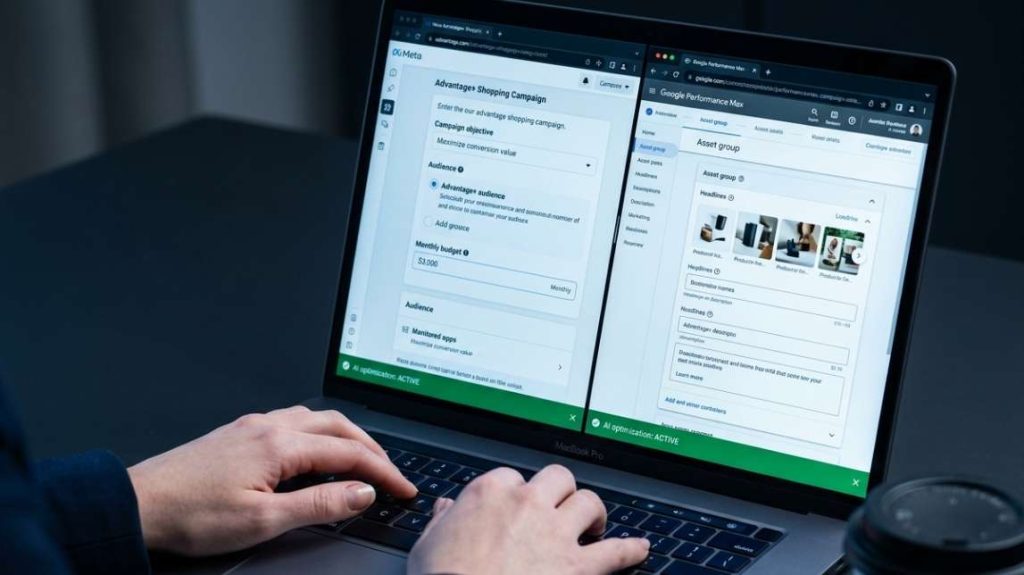
Step 1: Connect your ad platforms to AI tools
Most AI ad optimization tools support Meta Ads Manager, Google Ads, and major ecommerce platforms. Integration takes minutes. You authorize the tool to access campaign data and make optimization changes. You maintain final approval over budgets and targeting parameters.
Step 2: Define your optimization goals (ROAS, CPA)
AI needs a target. Are you optimizing for ROAS (return on ad spend) or CPA (cost per acquisition)? ROAS optimization maximizes revenue per dollar spent. CPA optimization minimizes cost per conversion. Choose based on your business model.
Key insight: Choose the metric that matches your business goal.
Step 3: Monitor and adjust AI recommendations
AI isn’t set-and-forget. You monitor performance, review recommendations, and adjust strategy when needed. A Tucson ecommerce seller let AI run unchecked for a month. AI maximized ROAS by focusing only on lowest-funnel audiences. New customer acquisition dropped.
Key insight: Monitor AI decisions, don’t blindly trust them. Related : Measure your ad performance with our guide on AI analytics for ecommerce decisions, /ai-analytics-ecommerce-revenue-insights
5 AI Ads Optimization Ecommerce Mistakes That Destroy ROAS
Mistake 1: Over-trusting AI without monitoring. AI shifts all budget to one high-ROAS product, cannibalizing sales of other products that had better long-term customer value. Solution: Check campaign performance weekly.
Mistake 2: Not aligning AI goals with business goals. AI drives low-margin sales when optimizing for conversions alone. Solution: Define goals that match your economics.
Mistake 3: Ignoring creative quality. AI can optimize delivery and targeting, but can’t fix bad creative. Solution: Invest in quality creative first.
Mistake 4: Setting unrealistic ROAS targets. AI restricts spend to avoid missing an unachievable goal. Solution: Set ROAS targets based on unit economics, not aspirations.
Mistake 5: Launching AI optimization without baseline data. New campaigns with no performance history produce poor initial AI decisions. Solution: Run new campaigns manually for one to two weeks first

Signs you’re ready to scale: Your ROAS is stable and profitable. You’ve tested multiple creatives and audiences. Your product pages convert well. Your fulfillment can handle increased volume.
Signs you need to optimize first: Your ROAS is below target. Conversion rates are inconsistent. You’re testing the same audiences repeatedly. Your creative hasn’t been refreshed in months.
Key insight: Optimize until profitable, then scale until diminishing returns appear.
When to Scale Ecommerce Ads and When AI Ads Optimization Comes First
What you should take away from this
AI ads optimization ecommerce is not a set-and-forget solution. It is a system that requires the right goals, the right data, and consistent human oversight.
Start with native AI tools, Meta advantage+ or Google performance Max. Define your ROAS or CPA target based on your unit economics. Monitor weekly. Adjust when AI decisions diverge from your business goals.
When your ROAS is stable and profitable, scale. Until then, optimize.
Strong ad performance depends on the full funnel working together. Ads drive traffic. Product content converts it. Analytics tells you what to fix next.
Your next step: discover how to turn your customer data into revenue decisions in our guide on AI analytics for ecommerce decisions.
Related: AI analytics for ecommerce decisions , /ai-analytics-ecommerce-revenue-insights
Related: See the complete system in our AI revenue optimization framework – /ai-revenue-optimization-framework-ecommerce