

Social media automation for small business is no longer optional it’s the foundation of consistent growth in today’s digital landscape.
Most small business owners struggle to stay consistent on social media because content creation, scheduling, engagement, and analytics take too much time. That’s where social media automation for small business becomes a game changer.
By using the right tools and systems, social media automation for small business helps entrepreneurs save time, stay consistent, and scale their marketing without daily manual effort.
Social media marketing works when you’re consistent. The problem? Staying consistent while running a business is nearly impossible to do manually. You start strong: posting daily, engaging with comments, responding to DMs. Then reality hits. You miss a day. Then three days. Then a week.
Smart social media automation for small business doesn’t make your brand robotic. It handles the repetitive distribution and monitoring while you focus on strategy and authentic relationships.
This guide shows you exactly how to automate social media posts for your small business, which tools to use, and how to maintain authenticity while saving 8-10 hours every week.
This guide is part of our complete AI marketing automation playbook for small businesses your go-to resource for the full multi-channel strategy.
If you’re also launching a complete marketing campaign, our 7-day AI marketing campaign guide walks you through the full setup step by step.
Smart social media automation doesn’t make your brand robotic. It handles the repetitive distribution and monitoring while you focus on strategy and authentic relationships.
This guide shows you exactly how toautomate social media posts for your small business, which tools to use, and how to maintain authenticity while saving 8–10 hours every week.
This guide is part of our complete AI marketing automation playbook for small businesses your go-to resource for the full multi-channel strategy.
If you’re also launching a complete marketing campaign, our 7-day AI marketing campaign guide walks you through the full setup step by step.
Table of Contents
What to automate and what to keep human in social media automation for small business
A smart social media automation for small business strategy is not about automating everything. It focuses on automating repetitive tasks while keeping human interaction authentic and meaningful.
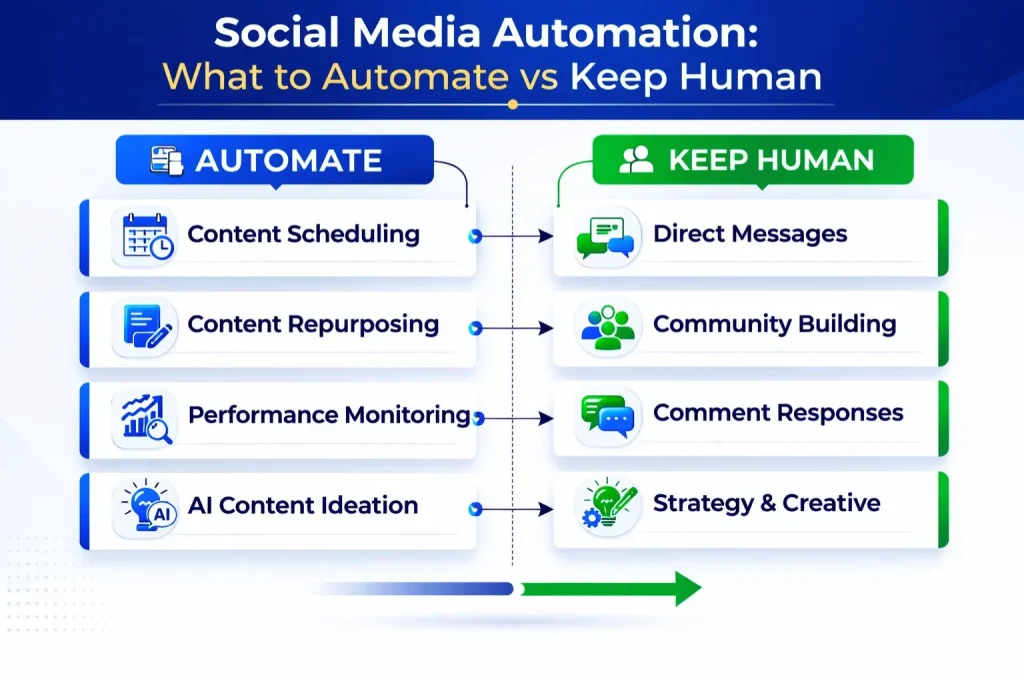
The golden rule of social media automation for Small Business:
Automate anything repetitive or data-based. Keep anything requiring judgment, empathy, or creativity human.
Automate these tasks:
- Content scheduling (post across platforms at optimal times)
- Content repurposing (blog → social posts, video → clips, multi-platform formats)
- Performance monitoring (engagement tracking, follower growth, best time analysis)
- AI content ideation (topic suggestions, caption variations, hashtag research)
Keep these tasks human:
- Direct messages (personal replies, sales conversations, support questions)
- Community building (networking, partnerships, influencer outreach)
- Comment responses (thoughtful replies, question answers, thank-you messages)
- Strategy & creative (brand positioning, campaign planning, unique content ideas)
Practical examples:
| Automate | Keep human |
| Posting your blog article to LinkedIn, Twitter, and Facebook at optimal times | Responding to “Can you help me with X problem?” in comments |
| Creating 5 caption variations for a product photo using AI | Deciding your brand’s stance on a trending controversial topic |
| Tracking which posts got the most engagement and reporting weekly | Apologizing to an upset customer in comments |
Ask yourself: “Would this feel robotic or impersonal if the recipient knew it was automated?” If yes keep it human.
Platform-specific social media automation for small business strategies
An effective social media automation for small business approach requires adapting your strategy to each platform. Using a one-size-fits-all approach underperforms on every channel.
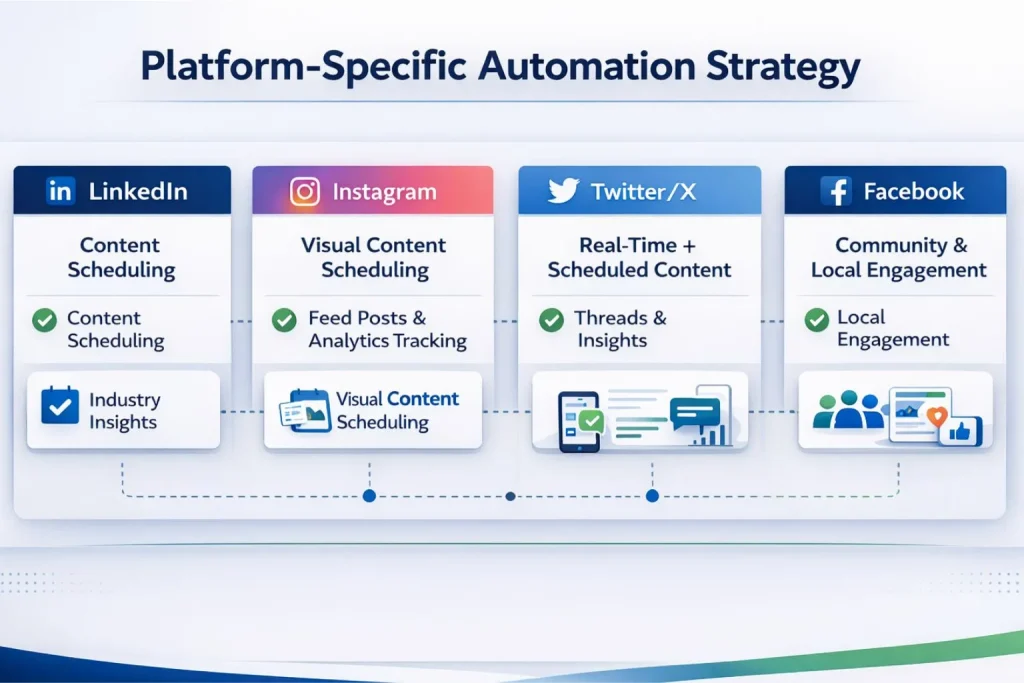
LinkedIn automation: Best ROI for B2B businesses
LinkedIn offers the highest ROI for social media automation for small business. Professional content schedules exceptionally well without losing authenticity.
What to automate:
- Schedule posts during business hours (even if you’re writing at 10pm)
- Share blog content automatically when published
- Curate industry news and insights
- Post job openings or company updates
What to keep manual:
- Commenting on others’ posts (LinkedIn algorithm rewards this heavily)
- Responding to comments on your posts
- Direct message conversations
- Networking and connection requests
Recommended tools:
- Buffer ($6–15/month): Simple scheduling
- Hootsuite ($49+/month): Advanced analytics + team collaboration
- LinkedIn native scheduler (Free): Built into LinkedIn,
According to LinkedIn’s Marketing Solutions blog, B2B companies that post consistently on LinkedIn see 6x more followers than those posting irregularly.
Instagram automation: Scheduling visual content effectively
Instagram’s API restricts automation more than LinkedIn or Twitter but there’s a smart workaround that keeps you consistent without violating platform rules.
What to automate:
- Feed post scheduling (images, carousels)
- Repost user-generated content (with permission)
- Analytics tracking (engagement, reach, follower growth)
What to keep manual:
- Stories (appear more authentic when posted in real-time)
- Reels (algorithm favors fresh, native uploads)
- Comment responses (Instagram penalizes automated comment tools)
- DM conversations
Workaround: Use tools like Later or Buffer to prepare content, get a phone notification when it’s time to post, and tap to publish. Semi-automated, fully compliant.
Recommended tools:
- Later ($18–40/month): Visual planning + Instagram-specific features
- Buffer ($6–15/month): Cross-platform scheduling
- Canva (Free–$13/month): Create Instagram graphics quickly
Twitter/X Automation: Balancing real-time and scheduled content
Twitter’s strength is real-time conversation. Your social media automation for small business approach here should follow the 70/30 rule: 70% scheduled evergreen content, 30% real-time engagement.
What to automate:
- Evergreen content (tips, insights, resources) on schedule
- Blog post announcements
- Threads scheduled in advance
- Engagement analytics
What to keep manual:
- Real-time reactions to news and trends (this is Twitter’s strength)
- Replies and conversations (critical for Twitter growth)
- Participation in Twitter Spaces or live events
Sample daily mix:
- 10:00am Scheduled tip/insight
- 11:00am–12:00pm Manual engagement (reply to mentions, comment on trending topics)
- 2:00pm Scheduled blog post announcement
- 5:00pm Manual engagement window
- 7:00pm Scheduled thread or question to audience
Recommended tools:
- Typefully ($12.50/month): Thread writing + scheduling
- Buffer ($6/month): Simple cross-platform
- Tweet Deck (Free): Real-time monitoring + scheduling (Twitter native)
Facebook automation: Community and local business strategy
Facebook works best for B2C and local businesses. Automate page-level content but keep all group and community interactions strictly human.
What to automate:
- Page posts (announcements, content shares, events)
- Cross-posting from Instagram (if appropriate)
- Ad scheduling and optimization (using Meta Business Suite)
What to keep manual:
- Facebook Group interactions (groups require authentic participation)
- Customer service responses
- Event responses and questions
- Local community engagement
Recommended tools:
- Meta Business Suite (Free): Native Facebook/Instagram management
- Buffer ($6/month): Cross-platform scheduling
- Hootsuite ($49/month): Advanced features for agencies
AI-Powered content creation for social media automation for small business
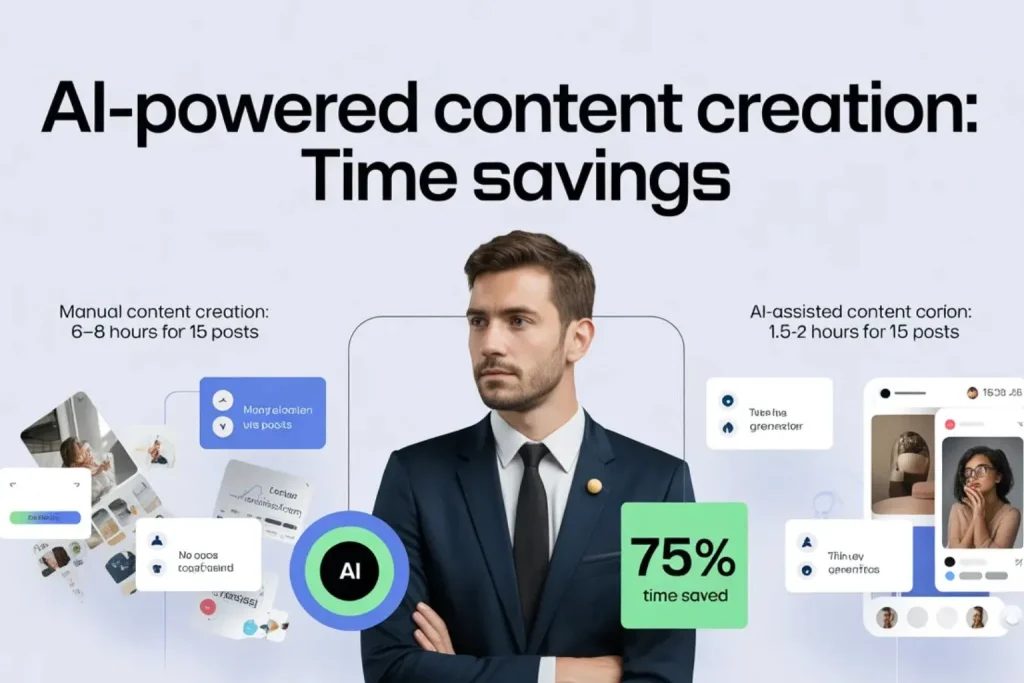
AI tools are transforming social media automation for small business by drastically reducing content creation time. Instead of spending hours brainstorming and writing posts, you can generate ideas, captions, and content variations in minutes
Time investment comparison:
| Method | Time to create 15 Posts | Savings |
| Manual | 6–8 hours | — |
| AI-assisted | 1.5–2 hours | 75% |
Best AI Tools for social media content creation
Not all AI tools are equal. Here are the best social media automation tools for SMBs organized by content type:
Caption & Copy Generation:
- ChatGPT / Claude (Free–$20/month): General content creation
- Copy.ai ($49/month): Marketing-specific templates
- Jasper ($49–125/month): Brand voice training
Visual Content:
- Canva (Free–$13/month): Templates + AI image generation
- Adobe Express (Free–$10/month): Professional graphics
- Midjourney ($10–$60/month): AI image creation
Video Content:
- Descript ($15–$50/month): Video editing + AI voice removal
- Opus Clip ($19–$99/month): Turn long videos into short clips
- CapCut (Free): Mobile video editing with AI features
AI Prompt templates for social media content
These prompts work with ChatGPT, Claude, or any AI writing tool. Copy, fill in the brackets, and get a ready-to-edit draft in under 2 minutes.
LinkedIn post prompt:
“Write a LinkedIn post about [topic] for [target audience]. Tone: Professional but conversational. Length: 150–200 words. Structure: Hook (first line grabs attention) / 2–3 key insights or tips / Call-to-action (question or comment invitation). Include: 1–2 relevant emojis (not excessive). Avoid: Hashtag spam, overly salesy language.”
Twitter thread prompt:
“Create a 5-tweet thread about [topic] for [audience]. Thread structure: Tweet 1: Hook + promise of value / Tweets 2–4: Key insights (one per tweet) / Tweet 5: Conclusion + CTA. Each tweet: 200–280 characters. Tone: Punchy, direct, insightful. Use line breaks for readability.”
Instagram caption prompt:
“Write an Instagram caption for [image/product description]. Audience: [target demographic]. Goal: [engagement / education / sales]. Length: 100–150 words. Structure: Attention-grabbing first line / Story or insight (2–3 sentences) / Call-to-action / 5–10 relevant hashtags (mix of popular + niche). Tone: [Casual / Inspirational / Educational].”
For automating your email sequences alongside your social media content automation strategy, see our complete AI email marketing automation setup guide
Content scheduling strategy: How batching save 60% of your Time in social media automation for small business
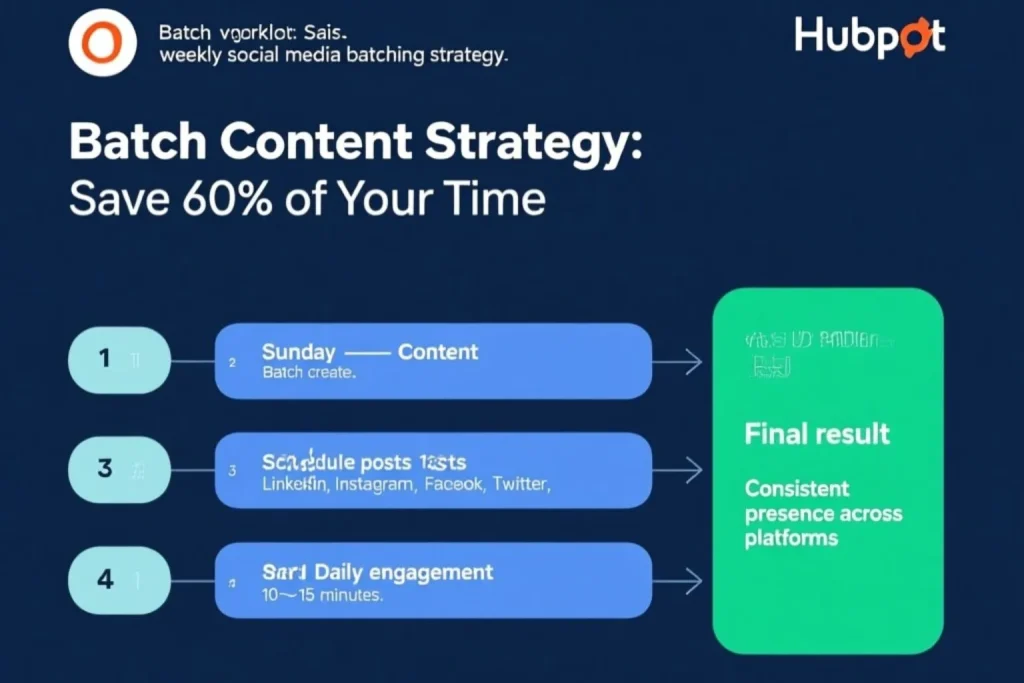
One of the biggest advantages of social media automation for small business is the ability to batch and schedule content efficiently. This batching approach saves up to 60% of your time while maintaining consistency.
Daily posting approach (fragmented, time-consuming):
| Day | Task | Time |
| Monday | Create + post for LinkedIn | 30 min |
| Tuesday | Create + post for Instagram | 30 min |
| Wednesday | Create + post for Twitter | 30 min |
| Thursday | Create + post for Facebook | 30 min |
| Total | Spread across 7 days | ~105 min/week |
Batch and schedule approach (efficient, focused):
| Session | Task | Time |
| Sunday (once) | Create ALL content for the week | 90–120 min |
| Daily | Engagement only (respond, comment, like) | 10–15 min |
| Total | One focused session + light daily engagement | ~105–120 min |
The time investment is similar but batching eliminates context-switching, reduces decision fatigue, and gives you a full week of consistent presence with zero daily stress.
How to batch effectively:
- Set a 90-minute focus block (Sunday afternoon or Monday morning)
- Eliminate distractions (close email, silence phone)
- Use templates and AI (don’t reinvent each post from scratch)
- Schedule everything in one platform (Buffer or Hootsuite) for all channels
- Review and approve in a 10-minute check before the week starts
Engagement automation for social media automation for small business: What’s safe and what to avoid
A balanced social media automation for small business workflow ensures automation supports engagement without replacing human interaction.
What You CAN safely automate:
Engagement monitoring:
- Track brand mentions across all platforms automatically
- Get instant notifications when you’re tagged or mentioned
- Monitor specific keywords (your product name, competitors, industry terms)
First-response templates (use sparingly):
- “Thanks for reaching out! Our team will respond within 2 hours.”
- “Great question! Here’s a resource that might help: [link]”
- Always follow up with a genuine human response templates are acknowledgments, not answers
Comment moderation:
- Auto-hide spam comments (obvious spam patterns)
- Flag potentially harmful content for human review
- Filter out profanity (if brand-appropriate)
What you should NEVER automate:
| Practice | Why it’s dangerous |
| Auto-commenting on others’ posts (“Great post!”) | Obvious, damages credibility, violates platform TOS |
| Auto-DM responses (“Thanks for following!”) | Feels spammy, nobody wants automated DM conversations |
| Auto-liking posts with certain hashtags | Platforms detect this → shadowban or account suspension |
| Follow/unfollow bots | Destroys trust, violates TOS on most platforms |
The safe engagement workflow automation monitors, humans respond:
The right way:
- Buffer/Hootsuite monitors mentions of your brand
- You get a notification on your phone
- You read the comment or mention
- YOU personally write an authentic reply (takes 30 seconds)
The wrong way:
- Bot detects mention
- Bot auto-replies with a generic message
- User feels ignored or spammed — and your credibility takes the hit
The difference? 30 seconds of your time vs. weeks of reputation damage.
Analytics & performance tracking for social Media automation for small business
Tracking performance is a critical part of any social media automation for small business strategy. With proper tracking, your social media automation becomes a data-driven growth system.
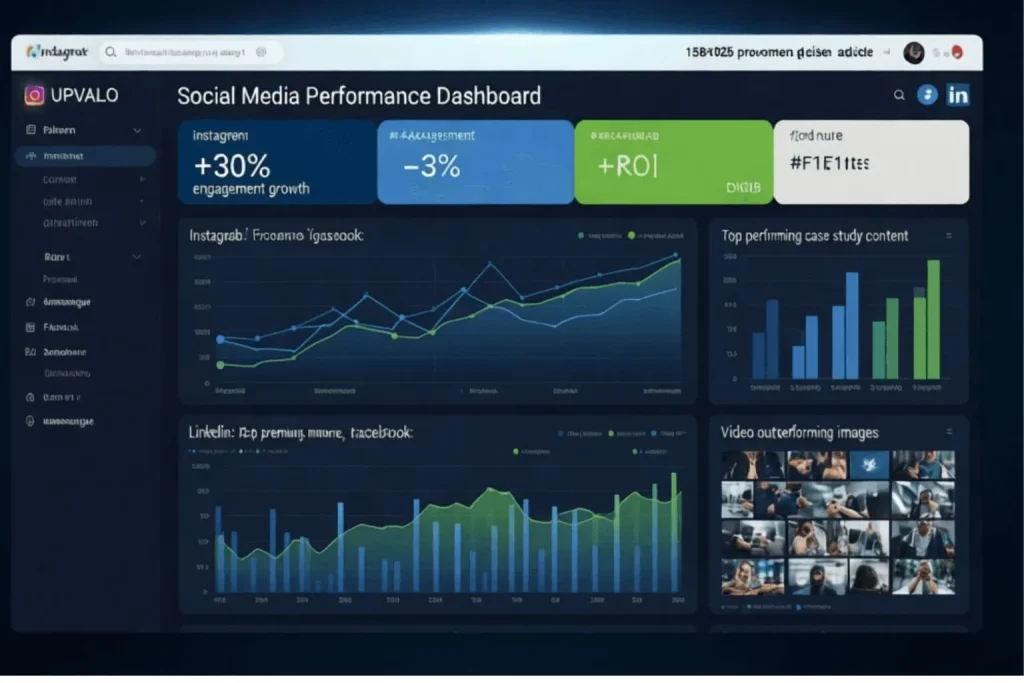
What this dashboard tells you and what to do with it:
| Platform | Signal | Action |
| Instagram +30% engagement | Strongest growth | Increase posting from 3x to 5x weekly |
| Twitter -3% engagement | Declining performance | Review content quality and posting times |
| LinkedIn case studies performing best | Top content type | Create 2 more case studies this month |
| Facebook video outperforming images | Format insight | Produce 1 video tutorial weekly |
Reading your data weekly takes 15 minutes. Ignoring it for a month costs you weeks of wasted content effort.
Automated reporting tools for social media analytics
You don’t need to manually pull reports from 4 different platforms every week. These tools consolidate everything into one automated view.
Paid multi-platform Analytics:
- Hootsuite Analytics ($49+/month): Unified dashboard, custom reports, team sharing
- Sprout Social ($249+/month): Enterprise-level insights, competitor benchmarking
- Buffer Analyze ($35–50/month): Clean, simple reporting perfect for SMBs
Free Platform-Native Analytics:
- LinkedIn Analytics: Built into LinkedIn pages impressions, engagement, follower demographics
- Twitter Analytics: Free at analytics.twitter.com tweet performance, audience insights
- Instagram Insights: In the Instagram app for business accounts reach, saves, profile visits
- Meta Business Suite: Free for Facebook/Instagram unified Meta reporting in one place
According to Sprout Social’s 2024 Index, businesses that track social media analytics weekly generate 3x more leads from social media than those who review monthly.
Pro tip: Set up weekly auto-reports. Configure it once, receive actionable insights every Monday morning without lifting a finger.
Recommended setup for most SMBs:
- Start with free platform-native analytics (Week 1–4)
- Add Buffer Analyze ($35/month) once you need cross-platform comparison (Month 2+)
- Upgrade to Hootsuite Analytics only if managing multiple brands or clients
Complete social media automation for small business setup: Your 4-week action plan
This plan helps you build a complete social media automation for small business system step by step.
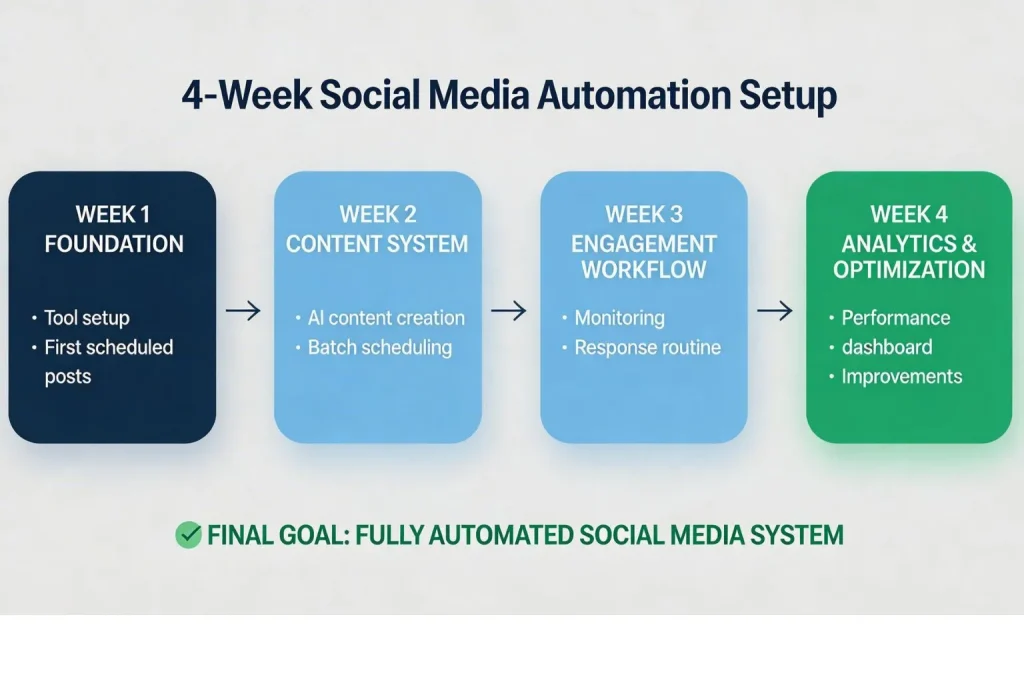
Week 1: Foundation
Goal: Get your tools connected and your first content live.
| Days | Task | Time |
| Day 1–2 | Choose and set up your scheduling tool (Buffer or Hootsuite) | 1–2 hours |
| Day 3–4 | Connect all active social accounts to your scheduler | 30–45 min |
| Day 5–7 | Create your content calendar template + schedule first week of posts | 2–3 hours |
Week 1 milestone: First week of posts scheduled and ready to go live automatically.
Week 2: Content System
Goal: Build a reusable content machine powered by AI.
| Days | Task | Time |
| Day 1–3 | Set up AI tools (ChatGPT or Claude account + Canva templates) | 1–2 hours |
| Day 4–5 | Create 10–15 evergreen post templates you can reuse monthly | 2–3 hours |
| Day 6–7 | Batch-create 2 weeks of content and schedule it all | 2–3 hours |
Week 2 milestone: 2 weeks of content scheduled. Your social media runs on autopilot while you focus on your business.
Week 3: Engagement workflow
Goal: Stay responsive without being glued to your phone.
| Days | Task | Time |
| Day 1–2 | Set up brand monitoring (mentions, keywords, competitor tracking) | 1 hour |
| Day 3–4 | Create your engagement workflow (when and how you’ll respond) | 1 hour |
| Day 5–7 | Practice daily 15-minute engagement sessions until it becomes habit | 15 min/day |
Week 3 milestone: Monitoring active, engagement workflow documented, daily habit established.
Week 4: Analytics & optimization
Goal: Let data guide every future content decision.
| Days | Task | Time |
| Day 1–3 | Set up your unified analytics dashboard (Buffer Analyze or platform-native) | 1–2 hours |
| Day 4–5 | Review first 3 weeks of performance data | 30–45 min |
| Day 6–7 | Optimize posting times and content types based on real results | 1 hour |
Week 4 milestone: Data-driven optimization in place. You now know exactly what works for your audience.
Ongoing maintenance (2–3 hours weekly)
Once your social media automation for small business system is running, maintaining it is straightforward:
| Frequency | Task | Time |
| Sunday/Monday | Batch content creation + scheduling for the week | 90 min |
| Daily | Engagement (respond to comments, engage with others’ posts) | 10–15 min |
| Weekly | Analytics review + one optimization | 15 min |
Total: approximately 2–3 hours per week to maintain a consistent, professional presence across 4 platforms.
5 Common social media automation for small business mistakes to avoid
Even the best social media automation for small business strategy fails when these mistakes creep in. Learn from others’ errors your competitors probably aren’t.
Mistake N°1: Over-automating and sounding Robotic
The problem: Every post is scheduled, there’s no spontaneity, comments get generic responses, and captions sound obviously AI-generated. Followers notice and they disengage.
The fix: Follow the 70/30 rule.
| What | How much | Examples |
| Scheduled content | 70% | Tips, blog posts, evergreen content |
| Real-time authentic engagement | 30% | Trending topics, spontaneous posts, live reactions |
Keep all direct interactions comments, DMs, replies strictly human, always.
Mistake N°2: Posting the same Content to all platforms
The problem: You write one post and copy-paste it to LinkedIn, Twitter, Facebook, and Instagram. Each platform has a different audience, format, and algorithm — identical content underperforms everywhere.
The fix: Adapt every post for its platform:
| Platform | Tone | Format | Length |
| Professional, B2B | Text-heavy, thought leadership | 150–200 words | |
| Concise, punchy | Short or threads | 120–280 chars | |
| Casual, visual-first | Image/Reel + caption | 100–150 words | |
| Community-focused | Longer captions, video | 80–150 words |
Mistake N°3: Ignoring platform-specific best times
The problem: Posting at 9am across all platforms because it’s convenient — not because your audience is active. Posting at the wrong time can cut your reach by 30–40%.
The fix: Use platform analytics to find YOUR audience’s peak times, then schedule accordingly:
| Platform | Best days | Best times (EST) |
| Tue–Thu | 8:00am–1:00pm | |
| Mon–Fri | 7:00–9:00am or 5:00–8:00pm | |
| Mon–Fri | 11:00am–1:00pm or 7:00–9:00pm | |
| Wed–Fri | 1:00–4:00pm |
Mistake N°4: Setting and Forgetting
The problem: You schedule 3 months of posts then never check performance or engage with followers. Your account becomes a broadcast channel nobody follows broadcast channels.
The fix: Automation handles distribution. You handle everything else:
| Frequency | Task | Time |
| Daily | Engage with comments + others’ posts | 10–15 min |
| Weekly | Review analytics + one optimization | 15 min |
| Monthly | Refresh underperforming content + plan new topics | 30–45 min |
Mistake N°5: Using automation tools that violate platform TOS
The problem: Bots for auto-liking, auto-commenting, and auto-following. Platforms actively detect these consequences include shadow banning, account restrictions, or permanent suspension.
The fix: Only use approved automation:
| Practice | Status | Risk |
| Post scheduling via approved tools | Allowed | None |
| Analytics tracking | Allowed | None |
| Auto-commenting bots | Prohibited | Account suspension |
| Auto-liking bots | Prohibited | Shadowban |
| Follow/unfollow bots | Prohibited | Permanent ban |
Stick to tools like Buffer, Hootsuite, and Later all platform-approved. Review Meta’s official advertising and automation policy before using any third-party tool. Never risk your account for a shortcut.
Tools & budget for social media automation for small business for every stage
The best social media automation tools for small business don’t have to be expensive. Most small businesses start at $0 and upgrade only once the system proves its ROI. Here’s exactly what you need at every stage.
Starter stack $0 to $6/month
Perfect for: First 30–60 days, testing the system, zero risk.
| Tool | Purpose | Cost |
| Buffer Free or Essentials | Post scheduling across 3 platforms | Free–$6/month |
| Canva Free | Social media graphics + templates | Free |
| ChatGPT Free | Caption writing + content ideation | Free |
| Platform-native analytics | Performance tracking per platform | Free |
| Total | Full automation stack | $0–$6/month |
What you get: Scheduling, graphics, AI writing, and analytics everything you need to launch your first automated social media system at zero cost.
Growth stack $45 to $82/month
Perfect for: Month 2+, once organic results are visible and you need more power.
| Tool | Purpose | Cost |
| Buffer Team ($12/month) or Hootsuite Pro ($49/month) | Advanced scheduling + team collaboration | $12–$49/month |
| Canva Pro | More templates, brand kit, background remover | $13/month |
| ChatGPT Plus | Faster AI, GPT-4, better content quality | $20/month |
| Total | Professional automation stack | $45–$82/month |
What you get: Cross-platform scheduling with analytics, professional design capabilities, and significantly faster AI content generation.
Scale stack ~$146/month
Perfect for: Month 3+, managing multiple platforms, producing video content regularly.
| Tool | Purpose | Cost |
| Hootsuite Business | Team collaboration, advanced analytics, 10 profiles | $99/month |
| Canva Pro | Design + brand consistency | $13/month |
| Descript | Video editing + AI voice removal | $15/month |
| Opus Clip | Turn long videos into short clips automatically | $19/month |
| Total | Full-scale automation stack | ~$146/month |
What you get: Enterprise-level social media management at a fraction of agency costs — ideal for businesses generating consistent content across multiple formats.
Which stack Is right for you?
| Stage | Stack | Monthly Budget | When to Upgrade |
| Just starting | Starter | $0–$6 | When you hit platform limits |
| Seeing early ROI | Growth | $45–$82 | When video becomes a priority |
| Scaling content | Scale | ~$146 | When managing team or multiple brands |
Most small businesses start at the Starter level and upgrade to Growth within 60–90 days once their social media automation for small business system proves consistent results.
Rule of thumb: Never spend more on tools than you’re generating in attributed leads or revenue from social media.
Your next steps: Start your social media automation for small business this week
You now have everything you need . The only thing left is execution.
This Week Launch your foundation
Goal: Go from zero to your first week of scheduled content.
| Task | Time required |
| Choose your scheduling tool (Buffer Free to start) | 30 min |
| Connect your top 2–3 social platforms | 20 min |
| Create your first batch of 5 posts using AI | 60–90 min |
| Schedule them for next week at optimal times | 20 min |
| Total time investment | ~2.5 hours |
By end of this week: Your first automated posts are scheduled and ready to go live without you touching them.
Week 2 Build Your Content System
Goal: Create enough content to run on autopilot for 2 weeks.
| Task | Time Required |
| Set up your content calendar template | 30 min |
| Batch-create 10 posts using AI assistance | 90 min |
| Schedule 2 weeks of content ahead | 30 min |
| Total time investment | ~2.5 hours |
By end of Week 2: Two weeks of consistent social presence scheduled. Your platforms are active while you focus entirely on running your business.
Weeks 3-4 monitor and refine
Goal: Let data guide your first optimizations.
| Task | Time Required |
| Monitor performance daily (10–15 min check-in) | 10–15 min/day |
| Refine posting times based on real engagement data | 30 min |
| Add unified analytics tracking | 1 hour |
| Total time investment | ~2 hours + daily check-ins |
By end of Week 4: You know exactly what content works for YOUR audience and your system optimizes itself week over week.
Month 2+ Scale what works
Goal: Turn a working system into a growth engine.
| Task | When |
| Optimize content based on 30 days of real data | Month 2, Week 1 |
| Expand to one additional platform if results justify it | Month 2, Week 2 |
| Scale content creation (more posts, more formats) | Month 2–3 |
| Add video content using Descript or Opus Clip | Month 3 |
The compounding effect: A social media automation for small business system that runs for 90 days generates 3–5x more data, reach, and leads than one that runs for 30 days. Consistency compounds.
Reality check: Total time investment
| Period | Weekly time | What runs automatically |
| Week 1 | ~2.5 hours setup | Nothing yet |
| Week 2 | ~2.5 hours | Week 1 posts |
| Weeks 3–4 | ~2 hours + 15 min/day | 2 weeks of content |
| Month 2+ | 2–3 hours/week | Everything — ongoing |
Most small business owners spend more time than this scrolling social media manually every week — with zero results to show for it.
Deep-dive resources for going further
Want to go beyond social media automation and build a complete multi-channel marketing system? These guides are your next steps in the right order.
- AI Marketing Automation Playbook Multi-channel integration, advanced analytics, team building
- Launch Your First AI Marketing Campaign in 7 Days Step-by-step 7-day campaign framework
- AI Email Marketing Automation Guide Full email automation setup, 5-email welcome sequence templates
Final thoughts: Consistency beats perfection in social media automation for small business
Social media automation for small business is the key to saving time, increasing consistency, and scaling your marketing efforts.
Here’s what you now have your complete social media content automation strategy:
| What You Learned | What It Gets You |
| What to automate vs. keep human | Authenticity without the time drain |
| Platform-specific strategies | Maximum reach on every channel |
| AI tools for content creation | 75% less time creating posts |
| Batching + scheduling workflows | 8–10 hours saved every week |
| Analytics and optimization | Data-driven decisions, not guesswork |
The question isn’t whether to automate your social media. It’s whether you can afford to keep doing everything manually while your competitors already have systems running 24/7.
Start today not next week, not next month:
- Pick one platform
- Batch-create 5 posts using AI
- Schedule them for next week
- Spend 15 minutes tomorrow engaging authentically
That’s it. That’s the start of your social media automation for small business system.
In 30 days, you’ll have data. In 60 days, you’ll have momentum. In 90 days, you’ll wonder why you ever posted manually.