
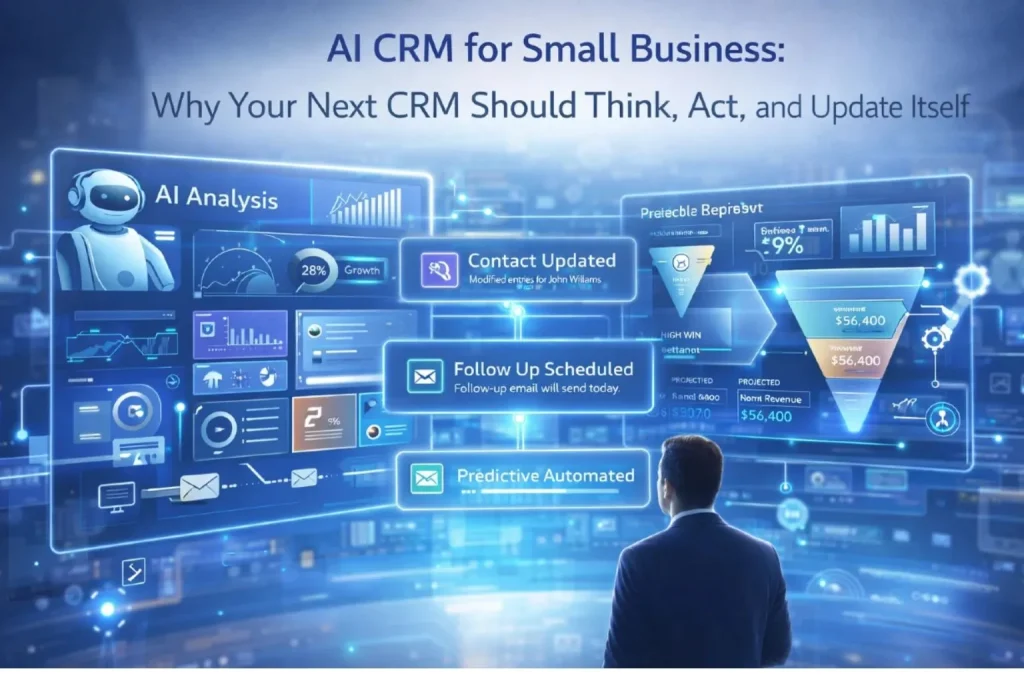
AI-powered CRM automation starts with a simple reality: CRM systems promise complete customer visibility but typically become data graveyards. Sales reps don’t update fields. Notes pile up unread. Reports sit unchecked.
The gap between CRM potential and reality frustrates teams and wastes investment. AI-powered CRM automation changes this equation fundamentally instead of requiring constant manual updates, the system captures data automatically. Instead of generating reports nobody reads, it surfaces insights proactively.
This guide provides a practical 5-phase implementation framework for SMBs. Understanding AI-powered business automation provides context for where intelligent CRM fits in operational transformation.
Table of Contents
Phase 1: Phase 1: AI-Powered CRM automation starts with assessing your current reality
Audit what actually gets used
Open your CRM and examine the last 30 days of activity. Which fields are consistently filled? Which sit empty?
Which reports get opened regularly? Most CRMs have 50+ fields but teams actively use only 8-10.
Identifying which data matters focuses automation efforts on high-value information. Stop trying to capture comprehensive-but-unused data.
Survey your sales team
Ask three critical questions: What information do you need before customer calls? What updates do you currently skip because they take too long? What customer insights would change how you engage?
Their answers reveal the gap between what your CRM captures and what your team actually needs. This gap is where automation delivers maximum value.
Calculate your data completeness score
Pick 20 random customer records. Count how many critical fields are populated: last contact date, next scheduled action, recent notes, engagement history, deal stage accuracy.
Divide completed fields by total critical fields. Most SMBs score 40-60% completeness.
This baseline measures improvement as automation increases data capture without manual effort.
Identify your biggest CRM pain point
Common pain points include: manual data entry after every interaction, inaccurate pipeline forecasts, missed follow-ups, inability to personalize at scale, poor visibility into customer health.
Pick one pain point to solve first. Comprehensive CRM overhauls fail because they’re too ambitious. Focused improvements that deliver visible results build momentum.
Real case study: Service Pro’s CRM Chaos
Service Pro, a 30-person B2B services company, had Salesforce for three years but saw minimal adoption. Sales reps kept separate spreadsheets because “Salesforce takes too long to update.”
Their story shows exactly why AI-powered CRM automation is essential for teams struggling with manual data entry and poor adoption
Baseline metrics:
- Data completeness score: 35%
- Half of opportunities had no recent activity notes
- Follow-up dates were aspirational, not realistic
- Pipeline forecasts consistently 40% optimistic
- Weekly CRM update time per rep: 3.5 hours
- Actual time spent updating: 45 minutes (rest skipped)
Annual cost of poor CRM adoption: $47,000 in wasted subscription, lost opportunities from missed follow-ups, and inaccurate forecasting.
According to Salesforce’s State of CRM report, poor CRM adoption costs businesses an average of $1.2M annually in lost productivity and missed opportunities.
Phase 2: Configure AI-Powered CRM automation for automated data capture
Set Up activity tracking without manual input
Modern AI CRM tools capture activities automatically through email and calendar integration. Revenue.io, Gong, and Salesforce Einstein analyze communications to update records without manual logging.
This is the core of AI-powered CRM automation capturing data passively without requiring any behavior change from your team.
For a complete overview of the best automation platforms, see our AI automation tools guide for small businesses.
Email integration scans sent and received messages. It identifies customer communications, extracts key information, and logs interactions automatically.
Your rep sends a pricing proposal-the CRM records “Proposal Sent” with timestamp and content summary. Zero manual effort required.
Calendar integration monitors scheduled meetings. A customer call appears on the calendar-the CRM creates placeholder activity record.
It prompts for notes immediately after scheduled end time while details are fresh. This captures information when memory is clearest.
Enable contact enrichment services
When new contacts enter your CRM, AI enrichment tools like Clearbit and ZoomInfo automatically append firmographic data. Company size, industry, technology stack, funding status, social profiles, organizational hierarchy all populate instantly.
This happens in background without human intervention. Your sales rep sees complete profile instantly instead of spending 10 minutes researching each prospect.
Configure enrichment triggers for new leads and existing contacts with incomplete data. Run batch enrichment on entire database initially, then automate ongoing enrichment for new additions.
Implement conversation intelligence
Call recording and transcription tools analyze sales conversations in real-time. They extract key moments-customer objections, competitor mentions, pricing discussions, decision timelines.
These insights automatically populate relevant CRM fields. No more asking reps to manually log call notes. The system captures everything automatically.
Gong’s Revenue Intelligence report shows that teams using conversation intelligence close 21% more deals than those relying on manual call notes.
Gong and Chorus identify patterns across hundreds of calls. Which talk tracks correlate with closed deals? Which objections signal low conversion probability?
This intelligence becomes coaching data improving team performance.
ServicePro’s Quick Wins
ServicePro implemented email and calendar integration first. Within two weeks, CRM activity capture jumped from 35% to 72%.
No behavior change from sales reps required. The system handled logging automatically.
Calendar integration prompted for meeting notes immediately after calls-when details were fresh. Logging took 60 seconds instead of 10 minutes reconstructing conversation later.
The team stopped complaining about CRM updates because updates happened automatically. Pipeline visibility improved dramatically with accurate, current data.
Phase 3: Build intelligent lead scoring with AI-Powered CRM Automation
Move beyond static point systems
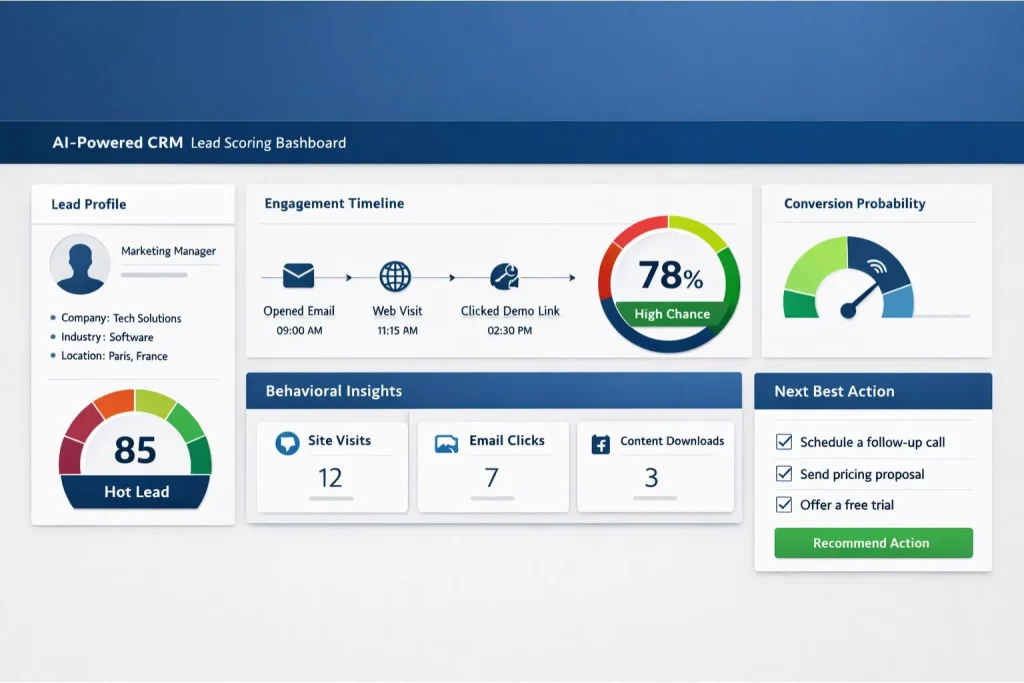
Traditional lead scoring assigns points for actions: download guide = 5 points, visit pricing page = 10 points, attend webinar = 15 points. When total exceeds threshold, lead becomes “qualified.”
This approach ignores context completely. Someone from Fortune 500 company browsing casually gets same score as startup founder intensely researching solutions.
AI scoring models analyze dozens of signals simultaneously: engagement recency, visit frequency, content types consumed, company fit indicators, behavioral patterns matching past customers who converted.
The model learns which combinations predict actual purchases rather than just general interest. Scores become predictive rather than merely reactive.
AI-powered CRM automation transforms lead scoring from a static point system into a dynamic predictive engine.
Configure dynamic lead routing
Static routing assigns leads based on fixed rules: enterprise accounts to senior reps, SMB accounts to junior reps, specific industries to specialized team members.
AI routing considers multiple factors dynamically: lead score, rep workload, past performance with similar accounts, response time history, current deal stage distribution across team.
The system optimizes for conversion probability and fair distribution simultaneously. High-potential leads go to reps most likely to close them who currently have capacity.
Configure fallback rules for edge cases. When AI routing encounters scenarios outside its training, it defaults to sensible manual routing rather than making questionable assignments.
Set Up next-best-action recommendations
After analyzing thousands of customer interactions, AI identifies patterns predicting successful outcomes. Customers who received case studies at specific funnel stages converted 40% more often.
Prospects who got pricing within 24 hours of demo requests closed 3x faster. These patterns aren’t obvious from manual observation.
HubSpot’s Sales Report confirms that AI-powered lead scoring improves conversion rates by up to 30% compared to traditional point-based systems.
The CRM surfaces recommendations for specific accounts: “Send manufacturing case study to John similar profiles responded positively” or “Schedule pricing discussion this account matches fast-close pattern.”
Reps maintain control but benefit from intelligence drawn from entire team’s historical performance.
Phase 4: Use AI-Powered CRM automation for personalized customer communication
Generate context-aware email drafts
AI writing assistants analyze customer history, recent interactions, and current deal stage to generate personalized email drafts. The system knows what information this specific customer needs based on where they are in buying journey.
Your rep opens a customer record. AI suggests: “This customer viewed pricing yesterday but didn’t schedule call. Draft email offering 15-minute pricing walkthrough?”
One click generates customized message incorporating customer-specific details from CRM data. The rep reviews, adjusts tone or details, and sends.
Total time: 90 seconds versus 8 minutes writing from scratch. Quality improves because AI ensures all relevant context gets included.
Automate follow-Up sequences based on behavior
Traditional follow-up sequences are time-based: email on day 1, 3, 7, 14 regardless of recipient behavior. Everyone gets identical treatment.
AI sequences adapt based on engagement. Someone opens three emails but doesn’t click? Next message changes angle rather than repeating same approach.
Someone clicks pricing link? Skip generic value messages and jump directly to ROI discussion. The system finds path of least resistance to conversion for each prospect.
Scale personalization across hundreds of customers
Account managers at growing companies face impossible math. Maintaining meaningful relationships with 50+ customers requires personalized check-ins, relevant content sharing, proactive problem-solving.
That’s roughly 1 hour per customer monthly. For 50 customers, that’s impossible without automation.
AI-powered CRM automation makes this level of personalization scalable — handling the monitoring while your team handles the relationships.
AI makes this scalable. The system monitors account health signals: support ticket trends, product usage patterns, contract renewal timing, recent organizational changes at customer company.
It flags accounts needing attention and suggests specific actions: “Customer X usage dropped 40% this month schedule check-in call” or “Customer Y hired new department head introduce yourself and offer onboarding support.”
ServicePro’s 90-Day Transformation Results
After implementing AI CRM automation for 90 days:
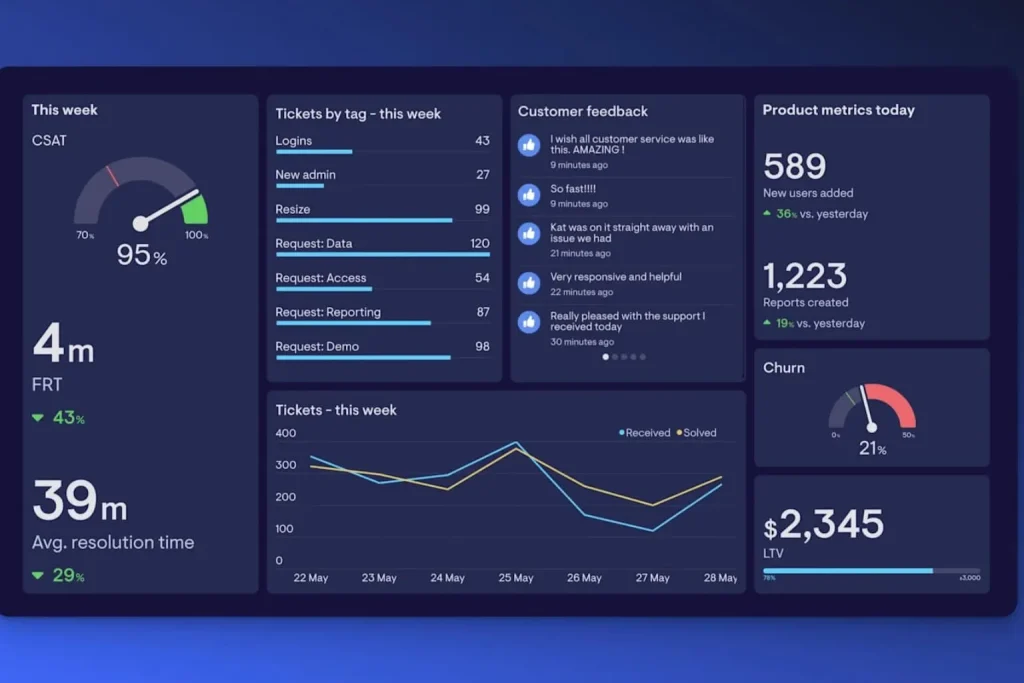
Data completeness:
- Increased from 35% to 89%
- Reps stopped maintaining separate spreadsheets
- CRM became more reliable than manual tracking
Response times:
- Dropped from 4 hours to 45 minutes average
- Automated routing eliminated decision paralysis
- Clear next actions accelerated engagement
Win rates:
- Improved from 18% to 27%
- Better data enabled better qualification
- Reps focused on high-probability opportunities
Revenue per rep:
- Increased $85K annually
- Time saved on admin went to selling activities
- Better prioritization meant higher-value opportunities
Total annual benefit: $255,000 in increased revenue plus $52,000 in time savings = $307,000
Investment: $14,400 in tool subscriptions + $8,000 implementation = $22,400
ROI: 1,271% first year
For the complete ROI measurement framework, see our guide on how to calculate AI automation ROI.
Phase 5: Monitor and optimize your AI-Powered CRM automation performance
Track your CRM adoption metrics
Measure what matters: percentage of activities auto-captured versus manually logged, data completeness scores by rep and team, time between customer action and CRM update, forecast accuracy compared to actual results.
Set baseline metrics before automation, then track monthly. Continuous monitoring ensures your AI-powered CRM automation keeps improving rather than degrading over time.
Improvements validate your implementation choices. Declines signal configuration issues needing attention. Don’t wait for quarterly reviews monitor continuously.
Review AI recommendation accuracy
AI suggestions are only valuable if they’re accurate. Track recommendation acceptance rates: when AI suggests sending case study, how often do reps follow that suggestion?
When they deviate, why? High acceptance rates indicate useful recommendations.
Low rates mean the model isn’t learning relevant patterns from your data. Adjust training data or scoring factors accordingly.
Capture rep feedback systematically
Your sales team knows which CRM improvements help and which create friction. Monthly feedback sessions reveal gaps between what automation does and what team actually needs.
Ask specific questions: Which AI features save you most time? Which recommendations do you ignore and why? What manual work remains that should be automated?
Their insights guide optimization better than usage metrics alone. Technology should serve your team’s workflow, not force them into patterns conflicting with how they actually work.
Optimize based on real usage patterns
Review which CRM features get used heavily versus rarely. Double down on features delivering value.
Deprecate or simplify features nobody uses. Complexity without adoption wastes resources and creates maintenance burden.
Continuously refine AI models based on outcomes. Which recommended actions led to closed deals? Which led nowhere? Feed this data back into scoring algorithms.
For deeper insights into process optimization, explore our AI business process optimization guide
Your AI-Powered CRM automation implementation checklist
Week 1-2: Foundation
- Audit current CRM usage and completeness
- Survey team on pain points and needs
- Calculate baseline metrics
- Identify one critical pain point
Week 3-4: Automated capture
- Integrate email tracking
- Connect calendar integration
- Enable contact enrichment
- Configure conversation intelligence
Week 5-6: Intelligent routing
- Implement AI lead scoring
- Set up dynamic routing
- Configure next-best-action
- Test with pilot group
Week 7-8: Personalized communication
- Enable AI email drafts
- Build behavior-based sequences
- Set up account health monitoring
- Train team on reviewing outputs
Week 9+: Optimization
- Track adoption metrics monthly
- Gather rep feedback
- Adjust scoring and routing logic
- Expand to additional processes
Transform your customer relationships with AI-Powered CRM automation
AI CRM automation isn’t about replacing human judgment. It’s about eliminating administrative burden preventing your team from focusing on relationship-building and strategic selling.
Start with automated data capture this week. Let the system handle logging while your team handles customers.
That single change typically delivers 8-12 hours weekly per rep. Time that goes directly into revenue-generating activities.
Download your free CRM Automation Assessment: 20-question diagnostic identifying your highest-impact automation opportunities with ROI projections. Get your assessment
Watch ServicePro’s full case study: 45-minute workshop showing exact implementation steps, tool configurations, and results tracking. Watch case study
Schedule personalized CRM audit: We’ll review your current setup and provide specific recommendations. 30-minute video call, no sales pitch. Book your audit
What’s your biggest CRM challenge right now? Describe your situation in comments and we’ll provide specific automation recommendations within 24 hours. Real problems, real solutions.