
Most founders think building an AI agent is complex. It’s not. It’s about clarity first, implementation second.
You don’t need a technical team. You don’t need weeks of planning. You need one clear problem, thirty minutes to map it, and two hours to build. The hardest part isn’t the technology. It’s deciding what your agent should actually do. Before you start, understand that building an AI agent for your agency is simpler than most people think—but only if you approach it the right way. The difference between agents that work and agents that fail is usually process clarity, not complexity.
Start with one clear problem, not a perfect system
Here’s what stops most agencies from building their first agent: they want it to do everything.
They want an agent that handles email, manages CRM updates, routes leads, sends responses, and escalates edge cases all at once. So they never start. Or they start and build something too complicated to maintain.
Instead, pick one problem. One specific bottleneck. One task that’s costing you time right now.
An agency owner was spending ninety minutes every morning reading client emails, categorizing them, and moving them to different folders for different team members. Same pattern every day. Ninety minutes of reading and sorting. Nothing strategic. Just routing.
She could have built an agent to handle everything—email, CRM, lead scoring, response drafting. But she didn’t. She built an agent that did one thing: read incoming emails, categorize by client and urgency, and route to the right folder. That’s it. Forty-five minutes of setup. Two hours of testing. Done.
The agent recovered ninety minutes daily. But more importantly, it was simple enough to fix if something broke. Simple enough to explain to her team. Simple enough to iterate on.
Start narrow. Go deep on one problem. Then add the next layer.
Map your process before you touch any tool
This is where ninety percent of agencies fail.
They open their automation tool and start building before they’ve actually thought about what they’re building. So they build something that matches their messy process, not something that solves it. The agent is only as good as the process it’s managing.
Before you open any software, grab a piece of paper. Write down exactly what happens right now. Not what should happen. What actually happens. Every step. Every decision point. Every exception.
A consultant was managing client requests like this: client email comes in → she reads it → she checks her calendar → she checks her workload → she decides if she has capacity → she replies with availability → client picks a time → she updates her calendar → she creates a project → she sends a kickoff email. Nine steps. Lots of decision points. Lots of places where delays happened.
Once she saw it written down, it was obvious. Most of those steps were the same every time. The only real decision point was: Do I have capacity? Everything else was routine.
So her agent handles steps 1–8 automatically. It only escalates to her if the answer to “Do I have capacity?” is unclear. That’s the agent’s whole job. Read the request, check the calendar, suggest the next available time, and escalate only if something’s unusual.
Takes her five minutes to review the agent’s suggestion. Takes ninety minutes if she does it manually. Sixty percent time savings.
Map first. Build second. Never the other way around.
Choose your tools based on what you actually need
Most agencies overthink this part.
You don’t need five different platforms. You need one or two that connect well and solve your specific problem. If your problem is email routing and CRM updates, you probably need: your email tool, your CRM, and one automation platform like Zapier or Make. That’s it.
An agency owner spent two weeks researching the “best” AI automation platform. She read reviews. She compared features. She watched tutorials. Then she realized: she didn’t need most of those features. She needed to take incoming client emails, extract key information, and update her CRM. That’s not a complex problem. Zapier and her email tool could handle it in an afternoon.
She built the agent in three hours. It saved her five hours weekly. The time she spent researching? She could have already been getting value from a simpler solution.
Don’t optimize for what you might need someday. Solve what you need today. The tools you use now are not permanent. You can always upgrade or change. But you can’t get value from something you never build.
Pick tools that connect to what you already use. Start simple. Iterate from there.
Build, test, launch — one afternoon at a time
You don’t need perfection. You need working.
Set aside one afternoon. Three hours. Block it on your calendar. That’s enough time to build a simple agent, test it with real data, and launch it.
Here’s the actual process: First hour—map your specific problem (thirty minutes) and choose your tools (thirty minutes). Second hour—build the basic workflow in your automation tool. Third hour—test it with real data. Fix the obvious breaks. Launch it.
A content agency did this. They blocked an afternoon to build an agent that would take client feedback from their project tool and summarize it for the team. First hour—they mapped the problem and chose Zapier. Second hour—they built a basic trigger (new feedback in project tool) and action (summarize and send to Slack). Third hour—they tested with actual client feedback. Found two issues. Fixed them. Launched.
The agent worked immediately. It wasn’t perfect. But it was working. They iterated from there. Each week, they added one small improvement.
That’s the right pace. Done and iterating beats perfect and never launched.
The three pieces you actually need
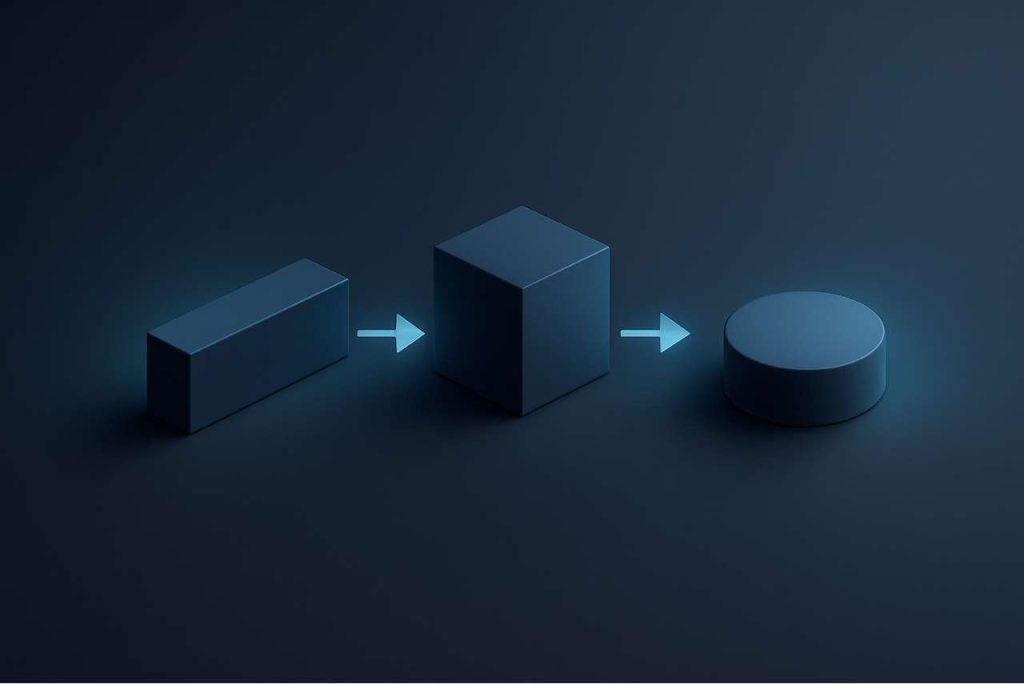
Your first agent needs exactly three things: input, logic, and output.
Input is where your data comes from. Email. Form submissions. CRM entries. Slack messages. Whatever is creating your bottleneck.
Logic is what the agent decides to do. Read the email and categorize it. Check the CRM and look for duplicates. Review the form and flag missing information. Logic is usually simpler than you think because most business decisions follow clear patterns.
Output is where the decision goes. A folder. A Slack message. A CRM tag. An email to the right person. A spreadsheet update.
One agency built an agent with that exact structure: input (new lead form submissions) → logic (score the lead based on budget and fit) → output (send high-value leads to the founder, others to the sales team). That’s it. One afternoon. One workflow. Three pieces.
The agent didn’t do everything. It did one thing well. It freed the founder from sorting leads manually. Everything else flowed from that single clarity.
What to avoid (The Common Breakdowns)
Most agents fail for one reason: they’re built to match a broken process instead of fix it.
An agency built an agent to manage their messy client onboarding. The process had seventeen steps and four decision points where things got lost. They automated all seventeen steps. The agent worked perfectly—and now the mess moved faster. They still lost clients. They just lost them faster.
Don’t do that. Fix the process first. Then automate it.
The second common failure: building something too complicated to maintain. An agent with eight different conditions, five different outputs, and three different escalation paths. One thing breaks, and nobody knows how to fix it. You’re now dependent on whoever built it.
Build simple. Keep it simple. A simple agent that works is better than a complex one that’s fragile.
Your first agent should take one clear input, make one clear decision, and produce one clear output. That’s it. Once you’ve built three agents like that and seen them work, you can start combining them into more complex systems.
Building your first AI agent isn’t about being technically advanced. It’s about being clear. Clear about your problem. Clear about your process. Clear about what success looks like. Everything else follows from clarity.
For a structured implementation timeline that shows exactly when to build your first agent and how to scale from there, follow the 30-day agency automation plan.