

The agencies that scale fastest aren’t the ones hiring aggressively. They’re the ones implementing AI automation for agencies strategically. They’re replacing repetitive work with intelligent systems. They’re freeing their existing team to do real work instead of busy work. And they’re doing it without the overhead, complexity, and management burden that comes with adding headcount.
This isn’t about replacing people. It’s about amplifying them. When you automate the tasks that consume time without creating value, your team stops drowning in process and starts delivering outcomes. That’s where real scaling happens.
The problem is that most agencies don’t know where to start. Automation feels technical. It feels like you need engineers and custom development. It feels risky. So you delay. You hire another person. You pay them salary, benefits, taxes. You manage them. And your margins compress while your complexity grows.
There’s a better way. It starts with understanding what automation actually is, where it works for agencies, and how to implement it without breaking your existing processes. This is that framework.
Table of Contents
Why most agencies struggle with automation: The modern automation mindset
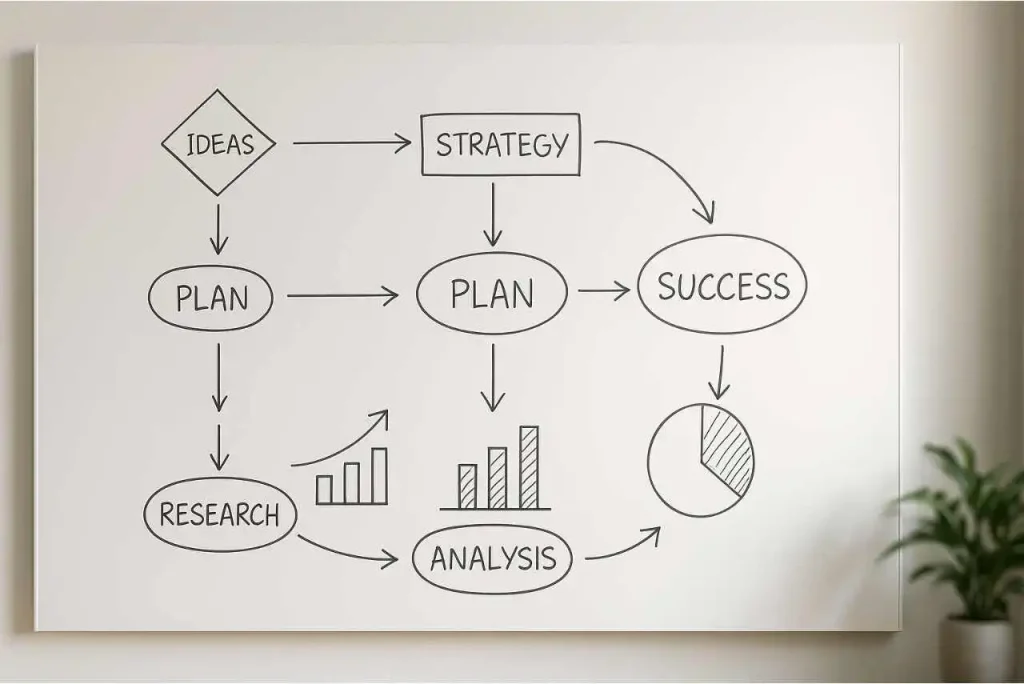
Here’s the truth most agency owners miss: you can’t automate your way out of a broken process.
When your client onboarding is a mess of emails, spreadsheets, and unclear handoffs, adding automation software won’t fix it. It will just make the mess move faster. You’ll encode confusion into a system and then wonder why automation didn’t work. The software becomes invisible infrastructure for a broken process, and nobody knows why clients are still frustrated.
Before you implement any tool or workflow, you need the right agency automation mindset. This isn’t about technology. It’s about discipline. It’s about deciding what matters before you decide how to automate it.
Most agencies skip this step. They want to move fast. They want results immediately. So they buy software and start building workflows around their existing chaos. The system runs. The process is faster. But the outcomes are worse because they’re optimizing the wrong things.
The automation mindset starts with three decisions:
First, you stop trying to automate broken processes. You map what you actually do. Not what you think you do. What actually happens every single time. Then you clean it. You eliminate steps that don’t matter. You clarify the steps that do. You test the clean process manually for two weeks. Only then do you automate it.
I worked with an agency that was losing clients because their onboarding took three weeks with no clear timeline. Emails went unanswered. Documents lived in three different folders. The founder wanted to automate the entire process immediately. But the process itself had no structure. So we stopped everything and mapped out what actually needed to happen. Step by step. Decision by decision. We discovered that three of the seven steps could be eliminated entirely. Two steps were redundant. The remaining two steps were the actual work that mattered.
Once we had a clean process with four clear steps, automation made sense. Now onboarding takes five days. The client knows exactly where they are in the process. The team knows exactly what to do. And ninety percent of the process runs without human intervention.
Second, you stop confusing busy with important.Agencies are drowning in tasks. Most of them don’t matter. You spend time on admin that doesn’t move clients forward. You attend meetings that could be emails. You manage spreadsheets that track things no one looks at. These tasks feel urgent because they’re always in front of you. But automating a task that shouldn’t exist is worse than doing it manually—because now it runs invisibly, consuming resources while delivering zero value.
A consultant was spending three hours daily answering the same client questions. She wanted to automate email responses. But the real problem wasn’t email management. The problem was that she’d never built a FAQ. Clients kept asking because the answers weren’t easy to find. So instead of automating email responses, we built a resource library. Now ninety percent of questions are answered before they become emails.
That’s the automation mindset. Eliminate what doesn’t matter. Clarify what does. Then automate the clear parts.
Third, you stop treating automation like a shortcut. Automation is a decision made permanent. When you automate something, you’re encoding a decision into a system. That decision either works or it doesn’t. If it doesn’t, the system breaks silently, and you’ll only notice when a client complains or a deadline is missed.
The agencies that win with automation are the ones that decide first, then build. They spend a week thinking about what should be automated. They run the process manually for two weeks to test the logic. They catch what they missed on paper. Only then do they automate it.
This sounds slower. It’s actually faster because you automate something that works. You avoid the trap of building elegant systems that nobody uses or systems that work perfectly on paper but fail in practice.
The 4-level automation system: From simple tasks to AI agents

Automation isn’t one thing. It’s a ladder. You don’t jump from manual chaos to AI agents overnight. You climb. Each level builds on the last. Each level solves a different problem. Understanding this progression changes how you approach automation entirely.
Most agencies fail because they skip levels. They want the advanced stuff. They want AI. But the ladder exists because each rung teaches you something about your own process. The 4-level automation system is your roadmap for understanding where you are and where you’re going.
Level 1 is task automation.
You’re removing repetition from single tasks. These are your spreadsheet triggers. Your email filters. Your calendar blocks. Your data movement between tools. Simple. Invisible. Powerful. You don’t need AI. You need clarity about which tasks repeat and waste time.
A design agency was manually exporting client feedback from their project management tool and pasting it into a spreadsheet. Every week. Same task. Thirty minutes gone. They set up a simple automation: when a status changes to “feedback received,” the data flows automatically to their tracking sheet. Done. Thirty minutes a week recovered. But more importantly, they never had outdated data again. The system was always current.
That single automation changed how they tracked client satisfaction. Because the data was always fresh, they started noticing patterns they’d missed before. Task automation is where you learn what automation feels like. It’s where you build confidence. It’s where you catch your first mistakes while they’re still small.
Level 2 is workflow automation.
Now you’re connecting tasks. You’re not just automating one action. You’re automating sequences. A workflow is what happens when one automated task triggers another, and that triggers another. Client onboards → email is sent → calendar is updated → document is created → notification goes to the team. One action. Multiple outcomes. No human in the middle.
Workflows require clarity. You can’t build a workflow from a broken process. You need to know exactly which steps matter and in what order. This is where most agencies struggle—because they’ve never actually mapped their processes.
A content agency founder had a broken onboarding workflow: client sends brief → she reads it → she creates a project → she assigns the designer → designer creates mockups → designer sends for approval → she gathers feedback → she sends to designer again. Eight steps. Lots of waiting. Lots of back-and-forth. So we mapped the workflow and automated it. Now: client sends brief → workflow creates project → workflow assigns designer → workflow sends reminder for mockups → workflow gathers feedback → workflow sends to designer automatically. Still eight steps. But zero human coordination needed. The designer just works. The client sees progress automatically.
That workflow saved her five hours a week. But more importantly, it removed decision-making from the equation. The system decided when to do what. She managed outcomes, not tasks. Workflows are where most agencies should spend their energy. They’re not complex. They’re not flashy. But they compound. Over six months, a single workflow can reclaim twenty hours a week.
Level 3 is AI execution.
Now you’re letting systems make decisions. AI execution means teaching a system to understand context and respond intelligently. It’s not a workflow anymore. It’s an agent. An agent can read an email and decide whether it needs a response, a file, or a team member. An agent can review a brief and spot missing information before work starts. An agent can summarize feedback and spot patterns.
Level 3 is not about doing things faster. It’s about doing things smarter.
A consultant was getting fifty emails a day from clients. Most were routine. Some needed immediate attention. Some could wait. She was spending two hours daily just reading and organizing emails. So we built an AI agent that reads incoming emails, categorizes them by urgency, extracts key information, and routes them accordingly. Routine questions go to her FAQ automation. Urgent issues go to her directly. Everything else gets summarized for her weekly review.
She still gets fifty emails. Now it takes her thirty minutes. The system doesn’t replace her judgment. It removes the low-value reading so she can focus on actual decisions. Level 3 is where you start seeing real time back. But it requires clear processes first. You can’t teach a system to be intelligent about chaos.
Level 4 is AI agents with full autonomy.
An AI agent doesn’t just execute. It reasons. It decides. It learns from context. An AI agent can manage a client onboarding conversation. It can answer sixty percent of questions without human input. It can escalate complex issues. It can provide first-level support while keeping humans in the loop for anything important. It’s not replacing your team. It’s amplifying them.
But Level 4 is not where you start. It’s where you end up. And you only get there if you’ve mastered Levels 1, 2, and 3 first.
An agency owner tried to jump straight to Level 4. She wanted a fully autonomous AI agent managing her client communication. But she hadn’t mapped her client communication process. So the agent made decisions based on assumptions. It escalated the wrong things. It missed nuance. She disabled it after two weeks.
Then she went back. She spent a month on Levels 1 and 2—mapping, automating, testing. She understood her own process. Then Level 4 made sense. The agent worked because it had clear rules to follow. It understood what mattered. Level 4 takes months to implement properly. But when it works, it’s like hiring a person who never gets tired and never makes the same mistake twice.
Practical AI agents for agencies: Email, CRM, aontent & admin
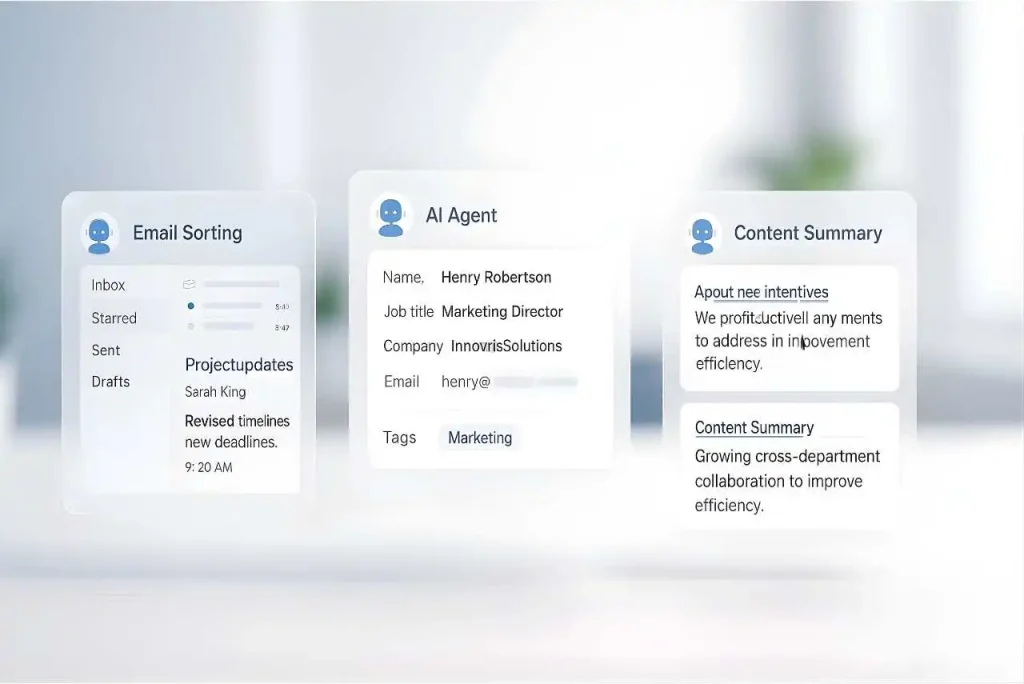
Most agencies think building an AI agent is complex. It’s not. It’s about clarity first, implementation second.
You don’t need a technical team. You don’t need weeks of planning. You need one clear problem, thirty minutes to map it, and two hours to build. The hardest part isn’t the technology. It’s deciding what your agent should actually do.
The agencies that win are the ones that start narrow. They pick one specific bottleneck. One task that’s costing them time right now. They don’t try to automate everything. They automate one thing well. Then they add the next layer.
Email routing agents.
These read incoming emails, categorize them, and route them to the right person or system. An agency owner was spending ninety minutes every morning reading client emails, categorizing them, and moving them to different folders for different team members. Same pattern every day. Ninety minutes of reading and sorting. Nothing strategic. Just routing.
She built an agent that did one thing: read incoming emails, categorize by client and urgency, and route to the right folder. Forty-five minutes of setup. Two hours of testing. Done. The agent recovered ninety minutes daily. It was simple enough to fix if something broke. Simple enough to explain to her team. Simple enough to iterate on.
CRM data synchronization agents.
These keep your CRM updated without manual data entry. Information flows from emails to CRM. From forms to CRM. From project updates to CRM. The system maintains one source of truth. Your team doesn’t spend time moving data between tools.
Content summarization agents.
These read feedback, documents, and client communication and produce summaries. A consultant used an agent to automatically summarize client feedback from her project tool and send a weekly digest to the team. One task. Clear input. Clear output. Saved two hours weekly on feedback synthesis.
Admin and scheduling agents.
These handle calendar management, meeting scheduling, and administrative coordination. An agency owner built an agent that read incoming scheduling requests, checked her calendar, suggested the next available time, and booked it automatically. Fifty scheduling requests monthly. Previously took her four hours to coordinate. Now the agent handles it. She reviews the agent’s suggestions in fifteen minutes.
The key is starting with one clear problem. Not trying to build a universal system. One problem. One agent. Test it. Measure it. Then add the next one.
The agency automation stack 2025: tools that actually help
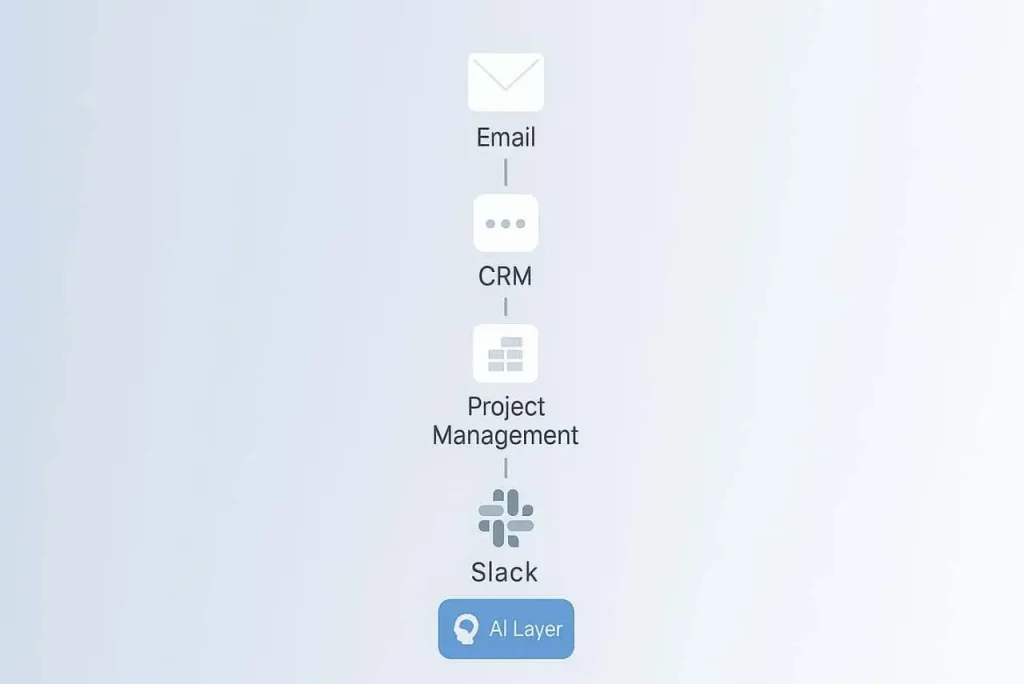
You don’t need a massive stack. You need tools that connect to what you already use and solve real bottlenecks.
Most agencies waste money on automation tools they don’t use. They buy software because it looks powerful. Because competitors use it. Because a tutorial made it seem essential. Then they realize: it doesn’t solve their actual problem. Or it requires so much setup that it’s not worth the time investment.
The truth is simpler. You probably already have eighty percent of what you need. Your email tool. Your CRM. Your project management system. Your team chat. These tools have more automation built in than most agencies realize.
The foundation is integration. Zapier connects over seven thousand tools. If two pieces of software exist, Zapier probably connects them. It’s not flashy. It’s not AI-powered. It’s reliable. Most agencies should start here because whatever you’re automating, Zapier can probably handle it.
An agency was using Zapier to connect their form submissions to their CRM, their CRM to their email tool, and their email tool to their project management system. Three simple connections. No coding. They recovered eight hours weekly just from automating data entry between tools.
Your existing CRM is your most powerful tool. Most agencies have a CRM but only use it for basic contact storage. A good CRM can handle workflows, automations, and even basic AI logic. Before you buy anything new, unlock what you already own.
A consultant was paying for three different tools to manage her client pipeline. Turns out her CRM already had all the automation she needed. She just hadn’t set it up. She spent a week configuring her existing CRM and cancelled two subscriptions. Same results. Lower cost.
Slack as your operations hub. If your team uses Slack, it becomes your automation center. Route notifications there. Send alerts there. Get summaries delivered there. Slack is where your team already is, so automations that land in Slack actually get attention.
An agency automated their lead notifications to Slack. Instead of checking email, the founder saw new leads in the channel where the team already works. Response time went from four hours to thirty minutes just because the notification landed in the right place.
The key is: pick tools that talk to each other. Not tools that seem powerful in isolation. Connection matters more than individual features. Most agencies can achieve significant automation with five core tools and Zapier as the glue. That’s it. Simple. Connected. Sustainable.
Automating lead generation without ruining your reputation
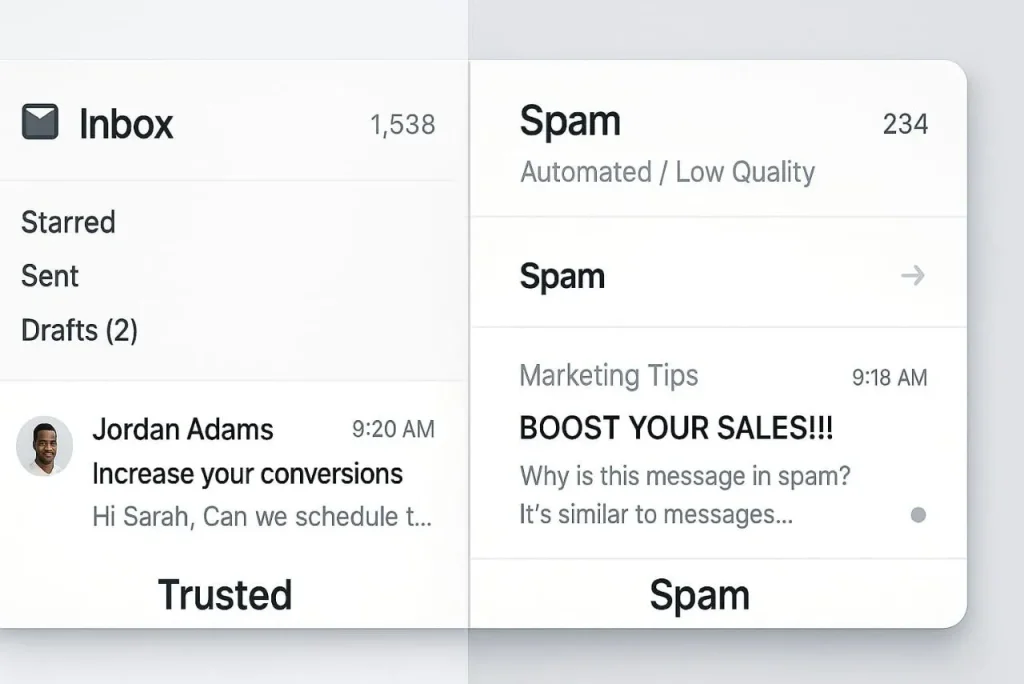
Most agencies destroy their reputation trying to automate lead generation.
They buy a list of email addresses. They set up a tool to send messages automatically. They blast hundreds of emails hoping something sticks. Then they wonder why nobody responds and their sender reputation tanks. Automation done wrong feels like spam. It kills trust. It kills your brand.
Real lead generation automation is different. It’s about reaching the right person, at the right time, with a message that matters. The difference between agencies that grow through automation and agencies that get blocked by spam filters is one decision: are you automating the process or automating the spam?
Safe to automate: finding contact information, organizing leads into lists, sending personalized first emails, scheduling follow-up sequences, tracking engagement, segmenting leads based on behavior.
Not safe to automate: writing the actual message (it needs your voice), deciding who to reach out to (you need to qualify first), aggressive follow-ups (if they don’t respond, they’re probably not a fit), purchasing lists or scraping data (this is how you get blacklisted).
An agency automated their lead finding process. They used Hunter to find business emails for companies matching their ideal customer profile. They organized those leads into a spreadsheet. Then they stopped automating.
Each prospect got a personal email written by the founder. Not a template. A real message about why they were a fit. That email had a two percent response rate. In their industry, that’s exceptional. Then they set up an automated follow-up sequence: one email if no response after five days, another if no response after ten days, then stop. Never more than two follow-ups.
The system recovered leads who were interested but missed the first email. It didn’t harass prospects into responding. The distinction matters. Your email domain is fragile. Treat it that way. Never send to a list you didn’t build. Never use purchased data. Never send the same email to hundreds of people. Never follow up more than twice.
One agency sent emails to a list they purchased. It felt efficient. They reached two thousand people in one day. Two thousand spam complaints filed within a week. Their domain got blacklisted. It took six months to recover. A different agency sent emails to one hundred people per week. Personalized each one. Set up a two-step follow-up sequence. Got a three percent response rate. Took longer to reach a thousand prospects. But they maintained their reputation. They could do it forever.
A simple 30-day roadmap to save 20 hours weekly
Most agencies fail at automation because they try to do everything at once.
They decide to automate their entire business in one month. They set up five tools simultaneously. They try to change how the team works overnight. By week three, nothing is working. By week four, they’ve abandoned everything.
Real automation scales gradually. You automate one process. You measure it. You refine it. Then you add the next one. This approach takes longer to show results, but it actually works. The 30-day automation plan is your structured roadmap for implementing this systematically.
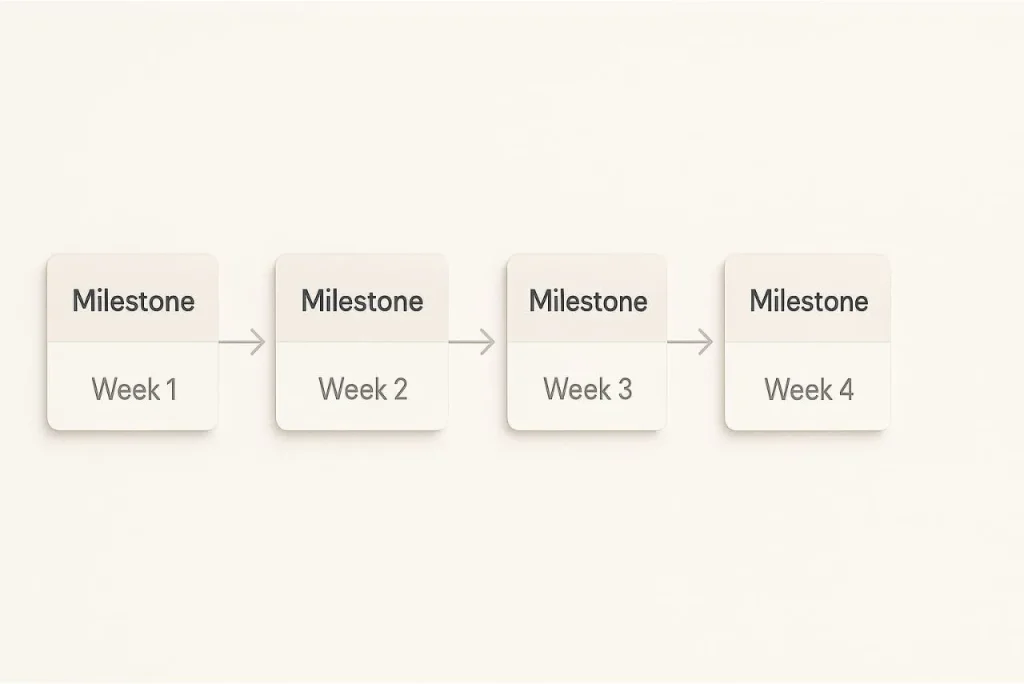
Week 1 is audit and decision. Map your three most time-consuming processes. Document every step. Calculate the actual time cost. Choose one to automate.
An agency owner thought her biggest bottleneck was client communication. But when she actually mapped her processes, she found it: client briefs arrived as emails, PDFs, and Slack messages in three different places. Project managers had to hunt for the brief, organize it, and create a project from it. Thirty minutes per project. Five projects weekly. Two and a half hours of hunting and organizing.
That’s a real bottleneck. Not a feeling. A measurable time sink.
Week 2 is design. Map how automation will solve your chosen problem. Draw it out. Boxes and arrows. Client brief arrives → system recognizes it → system extracts key information → system creates a project → system assigns the right person → system sends a notification.
This design phase reveals where automation actually helps. It also reveals where you need humans to decide.
Week 3 is building. Go into your automation tool. Build the workflow you designed. Don’t add complexity. Just get the core flow working. Test with real data. Run five real instances through the system. See what breaks. Then fix it once.
Week 4 is launch and measurement. The automation goes live. You measure if it actually delivers what you expected. How much time are you actually saving? Is it what you expected? More? Less? Then document what you learned and pick your next automation.
This pace lets you learn what actually works without overwhelming yourself or your team. At the end of one month, you have one working automation. At the end of six months, you have six. At the end of a year, you have twelve. That’s when automation compounds.
The agencies that scale are the ones that automate systematically. Not the ones that try to automate everything at once.
Building your automation foundation
Automation isn’t magic. It’s discipline.
Most agencies wait for the perfect tool. The perfect process. The perfect time. They never start. The best time to start automation was a year ago. The second best time is today.
Start with one clear bottleneck. Map it. Clean it. Automate it. Measure the results. Then do it again. That’s the formula. Not glamorous. Not quick. But sustainable.
The difference between agencies that scale and agencies that stay stuck is one decision: do you manage processes or do you engineer systems? Automation is about engineering. It’s about looking at what consumes time without creating value and deciding: this doesn’t need a person. This needs a system.
When you make that shift—from hiring your way out of problems to engineering your way out—everything changes. Your team does real work. Your margins improve. Your growth accelerates. And you never look back.
Start the agency automation mindset shift first. Everything else follows from that.
Pingback: The modern agency automation mindset: What to stop doing first