
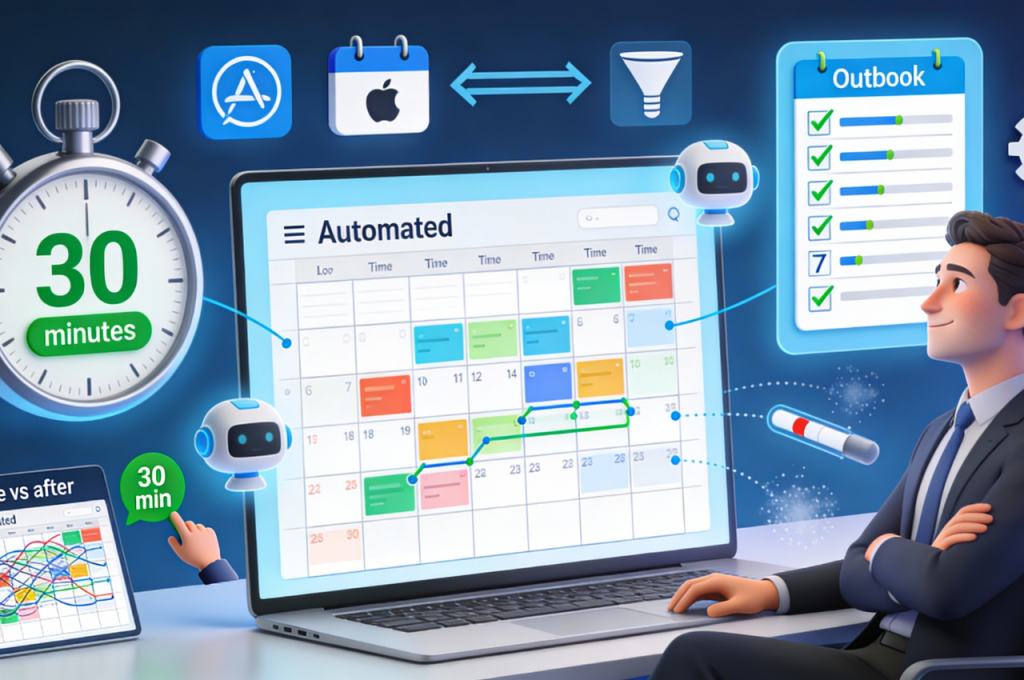
Calendar automation represents the highest ROI investment for busy founders, yet most entrepreneurs never progress beyond basic features. AI-powered bidirectional sync eliminates double-bookings while smart AI rules protect deep work blocks and automated AI workflows handle meeting logistics without your intervention. The transformation from manual coordination chaos to intelligent AI scheduling takes surprisingly little time when following the right sequence. These seven configuration steps build progressively on each other to create a fully automated time management system that adapts dynamically to your evolving priorities and constraints.
Automate your calendar: Complete setup guide in 30 minutes.
Calendar automation represents the highest return investment for busy founders, yet most entrepreneurs never progress beyond basic features. You probably still manually hunt for meeting slots, send multiple coordination emails, and frantically check three different calendars before confirming availability.
The transformation from coordination chaos to intelligent AI scheduling takes surprisingly little time when following the right sequence. AI-powered bidirectional sync eliminates double-bookings while smart AI rules protect deep work blocks and automated AI workflows handle meeting logistics without your intervention.
These seven configuration steps build progressively on each other. Each takes 3-5 minutes and immediately delivers value before moving to the next level. By the end, you’ll have an AI system that manages itself while you focus on actual work.
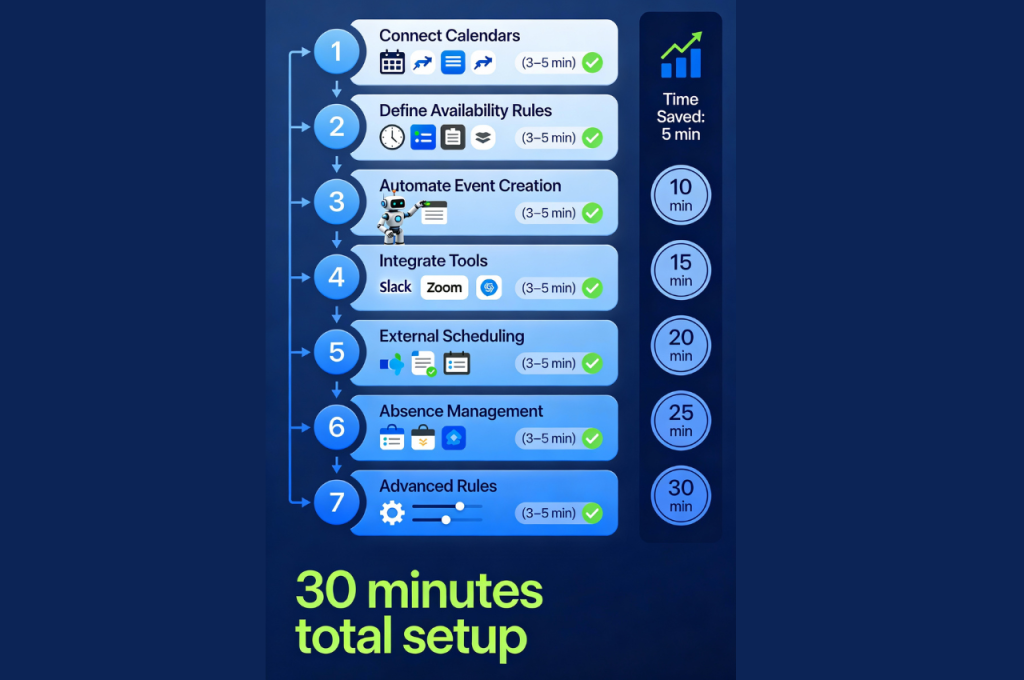
Step 1: Connect All your calendars with AI sync.
The foundation starts with centralizing visibility across every calendar you maintain. Most entrepreneurs juggle at least two or three separate calendars, and this fragmentation creates inevitable conflicts that damage professional credibility.
Professional calendar, personal schedule, family commitments, and sometimes project-specific calendars exist in isolation. You book a client meeting forgetting about your daughter’s school event, or accept a lunch invitation conflicting with blocked focus time.
The solution requires true AI-powered bidirectional synchronization, not simple one-way feeds that create stale copies. Changes in any calendar must propagate instantly everywhere else.
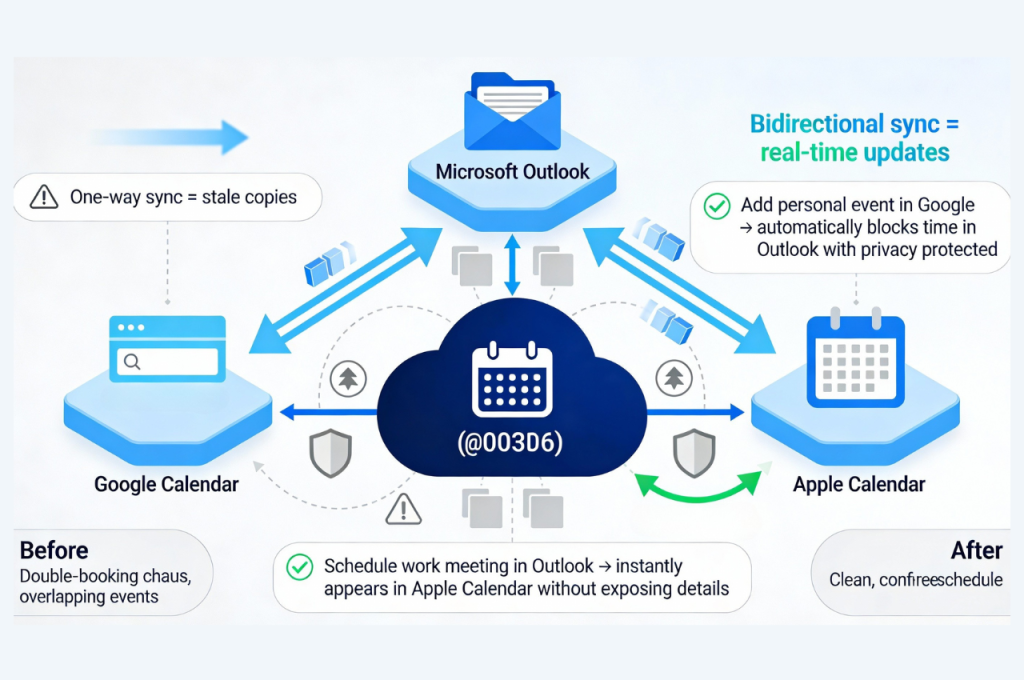
For Google Calendar and Outlook integration, the new Outlook interface makes this straightforward. Navigate to add account, select Google, and authenticate with your Gmail credentials. This creates direct AI connection rather than local copy.
For truly bidirectional AI workflows where modifications flow both directions, tools like CalendarBridge provide robust solutions. Adding or changing events in Outlook reflects immediately in Google and vice versa.
This visibility across up to three calendars simultaneously with appropriate privacy controls represents the critical foundation. Colleagues see you’re busy without knowing why, which protects personal boundaries while preventing scheduling conflicts.
Step 2: Define your availability rules with AI
The second step establishes your default working parameters so the AI system can make smart suggestions automatically. Most scheduling friction comes from repeatedly answering identical questions about when you’re available for what types of activities.
Start by indicating your standard meeting hours. Perhaps you accept external meetings only between 2pm-5pm to protect morning focus time for strategic work, or you reserve Fridays for deep work and decline all meeting requests that day except genuine emergencies.
These AI rules eliminate back-and-forth about basic availability. Your AI scheduling assistant never proposes Tuesday morning for external calls when you’ve designated that time for internal team collaboration.
Buffer times between consecutive meetings prevent the exhausting experience of back-to-back sessions with no breathing room. A 10-15 minute gap allows restroom breaks, quick preparation for next conversation, or simply mental reset.
Default durations by meeting type accelerate scheduling decisions. Candidate interviews typically need 45 minutes while quick team check-ins work fine in 15 minutes. The AI system suggests appropriate lengths automatically based on meeting category.
Reminder customization ensures you get adequate notice for different event types. A strategic client presentation probably warrants 24-hour and 1-hour reminders while casual coffee chats need only 15-minute notice.
Most calendar platforms support these configurations natively. Motion, Reclaim, and Clockwise offer particularly sophisticated AI rule engines that learn from your behavior patterns over time.
Step 3: Automate event creation and modification with AI
The third level enables your AI system to create, adjust, and delete events without manual intervention. This automation transforms your calendar from passive display into active AI coordinator that anticipates needs and executes routine coordination autonomously.
AI-powered platforms like n8n allow building custom workflows triggered by specific conditions. For example, every completed sales call in your CRM automatically creates a follow-up meeting 48 hours later with the prospect.
Setting up basic AI automation requires connecting a few key components. Link your calendar nodes for Google Calendar or Microsoft Outlook to enable creation, modification, and deletion functions. Define clear trigger conditions and desired outcomes for common scenarios.
The most important element becomes your AI instruction prompt. This prompt must include detailed role description, available tool list, and specific guidance for handling edge cases.
For instance, your AI prompt might specify that client meetings always get scheduled between 2pm-5pm with 15-minute pre-meeting buffer for review. Internal team syncs default to 25 minutes starting at 30-minute intervals.
Testing and refining these AI instructions takes iteration but pays dividends quickly. Invest the upfront configuration time to eliminate dozens of manual scheduling decisions weekly.
Step 4: Integrate communication and project tools with AI
The fourth step connects your calendar to the broader ecosystem where work actually happens. This AI integration transforms isolated scheduling into central coordination hub orchestrating multiple systems simultaneously.
Connect Slack or Discord to send automatic AI-powered meeting reminders. Participants receive notification 15 minutes before start time without you remembering to ping everyone.
Sync with AI-powered project management platforms so calendar events generate corresponding tasks automatically. A client meeting creates a follow-up task for sending summary notes and another for delivering promised materials.
Video conferencing integration eliminates the tedious generate-link-copy-paste routine that interrupts flow. Zoom, Google Meet, or Microsoft Teams links create automatically and embed in calendar invitations.
Zapier and Make excel at orchestrating these multi-platform AI workflows. A single trigger like “new calendar event tagged client meeting” can spawn multiple actions across different tools.
This AI interconnection transforms your calendar from simple scheduling tool into orchestration engine for your entire operation.
Step 5: Enable intelligent AI external scheduling
The fifth step tackles the frustrating coordination dance with people outside your organization. The traditional email tennis match of “Are you free Tuesday morning?” followed by “Actually Wednesday afternoon works better” can stretch across days.
Modern AI scheduling assistants eliminate this friction entirely. The process becomes automatic detection of your availability, proposal of suitable options, confirmation, and calendar addition.
Calendly represents the established solution for basic AI external scheduling. You share a personalized link that displays your real availability based on all connected calendars. Recipients pick convenient times directly and meetings appear in both calendars automatically.
CalendarBridge takes different AI approach by operating entirely through email. You simply copy the AI assistant on scheduling conversations and it negotiates directly with your contacts. No separate link to share, no new platform to learn.
Both AI approaches eliminate 80-90% of scheduling coordination time for external meetings. The specific choice depends on whether you prefer link-sharing simplicity or email-embedded AI intelligence.
Step 6: Automate absence and out-of-office management with AI
The sixth step handles the tedious sequence of actions required when you’ll be unavailable. Vacation periods, sick days, or even full-day off-site commitments typically demand multiple manual steps consuming 30-45 minutes.
You need to block your calendar, inform colleagues and clients, configure automatic email responses, redirect urgent requests, and sometimes delegate specific responsibilities. Comprehensive AI automation transforms this into single declaration.
You simply indicate your absence period and the AI system executes the complete workflow. Calendar blocks appear automatically with appropriate privacy settings. Regular contacts receive proactive notification. Auto-responders activate at the right moment with personalized AI-generated messages.
Urgent request routing becomes particularly valuable. Incoming meeting requests during your absence get automatically redirected to a designated backup person with relevant context.
This AI orchestration ensures operational continuity without burdening you during time off. It also reduces the anxiety many entrepreneurs feel about disconnecting because AI systems continue functioning smoothly.
Step 7: Configure advanced AI rules and personalization.
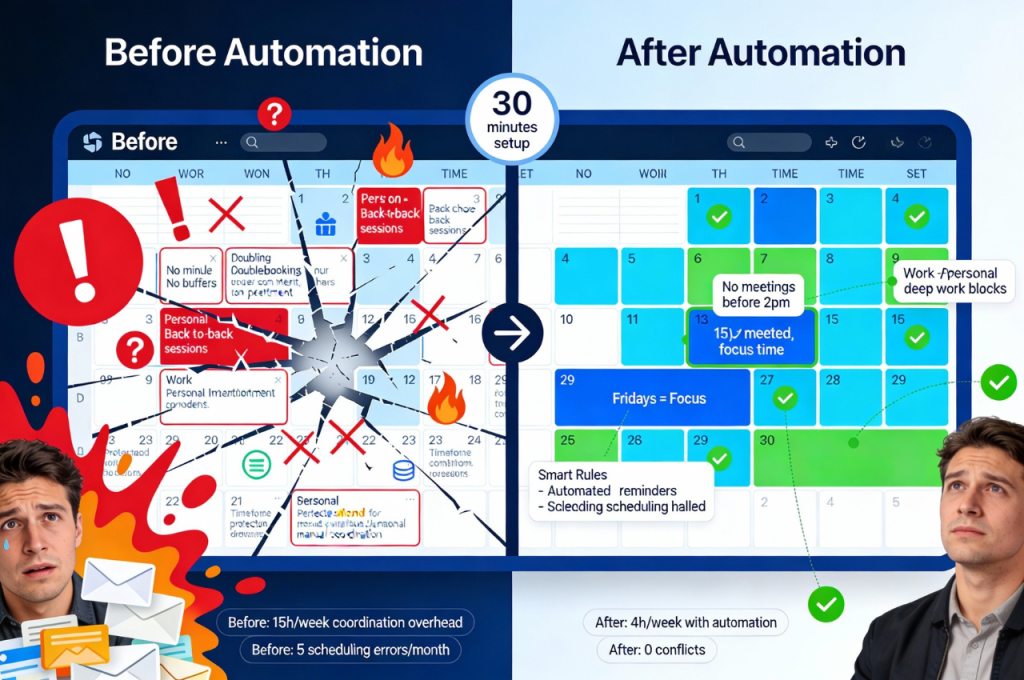
The seventh step adds sophisticated customization that adapts the AI system to your unique working style. These refinements transform good automation into great automation, perfectly fitted to your context and preferences.
Automatic AI category assignment organizes events without manual tagging. Create rules that categorize synchronized events based on keywords or participants. Anything labeled “client” joins your business development category with associated color and reporting tag.
Conditional AI sync direction provides flexibility for different calendar types. Perhaps your personal calendar should block time on your work calendar without exposing details. Colleagues see you’re busy without knowing you’re at your kid’s soccer game.
Privacy levels ensure appropriate information visibility for different audiences. Your executive assistant sees full calendar details while colleagues view only availability. Clients scheduling through Calendly never see internal team meetings or personal commitments.
Custom AI notification schemes match different work rhythms. Maybe you want Slack reminders for internal meetings but SMS for external calls, or perhaps email suffices for most events but important presentations warrant multiple notification channels.
These refinements require experimentation to discover optimal settings. Revisit AI configurations monthly during the first quarter to adjust based on real-world experience.
Measuring your AI automation gains
After two weeks of full operation, compile concrete metrics demonstrating impact. Count hours previously spent coordinating schedules compared to current time investment. Most entrepreneurs discover 4-6 hours weekly reclaimed from this domain alone.
Track reduction in scheduling errors like double-bookings, forgotten meetings, or timezone mistakes. These incidents create stress and waste time recovering from mistakes. A well-configured AI system should eliminate **95%** of these problems.
Monitor punctuality improvements across your meetings. AI buffer times and smart reminders typically reduce late starts that frustrate participants and waste collective time. This qualitative improvement matters as much as quantitative time savings.
Calendar automation is one of the highest-ROI components of effective scheduling, but it works best when integrated into a complete system of AI time management for entrepreneurs.
For detailed step-by-step guidance with screenshots, troubleshooting common issues, and advanced AI configuration strategies, explore how comprehensive calendar automation integrates with broader productivity systems to create compounding returns across multiple operational domains simultaneously.