
A visitor lands on your store at 11 PM. They have a question about delivery times. Nobody responds. They leave and buy elsewhere.
This happens dozens of times per week. Every unanswered question is a lost sale.
Building a reliable AI customer service ecommerce system solves this problem. Not by replacing humans, but by handling repetitive requests automatically, 24/7, at a fraction of the cost.
This guide shows you how to combine a chatbot, a helpdesk, and a knowledge base into one system that reduces your workload and improves conversions.
Let’s start with why customer support directly impacts your revenue.
Table of Contents

Why automated support ecommerce directly impacts your revenue
The quality of your support directly impacts three business metrics: conversion rate, average order value, and customer return rate.
Every minute of chat delay costs 10% in conversions. [Ringly] A visitor who gets an immediate answer is significantly more likely to buy. One who waits, leaves.
Average order value increases when support helps customers choose between options. A customer hesitating between a standard and a premium product needs one thing: a clear explanation of the difference. Support provides that explanation in real time.
Customer return rate depends on the overall experience. 93% of customers are more likely to make repeat purchases from companies offering exceptional customer service.[eDesk] A well-handled problem creates more loyalty than a flawless order.
The industry average first response time sits between 7 and 10 hours. [Salesmate] Most ecommerce businesses operate far below customer expectations. AI-powered support cuts first response time by up to 97% compared to human-only teams. [Ringly]
Support is not a cost center. It is a direct revenue lever that most ecommerce businesses underestimate.
Key insight: slow support loses sales. An AI customer service ecommerce system is your first step toward a complete AI transformation in ecommerce that scales your operations 24/7.
Ecommerce chatbot automation: the 3 tools your support system needs

The frontline chatbot
The chatbot handles simple questions without human intervention. Order tracking, return policy, product availability, delivery times, payment information.
These questions represent the majority of incoming support requests. They require no judgment. Answers are factual and identical for all customers.
AI chatbots can handle up to 80% of routine tasks and customer inquiries, freeing human agents for complex issues. [ProProfs Chat] Tools like Tidio and Intercom integrate directly with Shopify or WooCommerce and access order data in real time.
The common mistake: wanting the chatbot to answer everything. A bot that attempts to handle complex requests frustrates the customer and damages your image.
Clearly define your 15 most frequent questions. Configure the bot only for these questions. For everything else, transfer immediately to a human.
The AI helpdesk ecommerce system
Complex requests require human intervention. But not all with the same urgency or the same person.
An intelligent ticketing system like Zendesk or Gorgias automatically analyzes each request and routes it to the right person with the right priority.
Example: a customer writes “my package arrived broken.” The system detects the keywords. It creates a priority ticket. It assigns it to the logistics team. It automatically attaches order history.
Customer service costs drop by up to 30% when chatbots handle repetitive inquiries. [ProProfs] Chat Your team focuses on situations that truly require their expertise.
Gorgias goes further by suggesting responses based on your previous conversations. Your team adjusts if necessary and sends. Agents save several minutes per ticket on average.
The accessible knowledge base
Many customers prefer finding the answer themselves rather than contacting support.
Well-designed self-service portals deflect 40 to 60% of incoming customer queries. [Salesmate] Tools like Help Scout or Helpjuice create dynamic knowledge bases with intelligent search.
The customer types “how to return an item.” The system instantly displays the complete procedure. If the answer is not enough, a button allows contacting support directly from the page.
Analyze your last 50 support conversations. Identify questions that come back more than 5 times. Create a detailed article for each one.
Key insight: these 3 ecommerce support automation tools work together as one system. Each one handles what the others cannot.
How to deploy your automated support ecommerce system in 4 steps
Building effective automated support requires method. Not improvisation.
Map your current requests
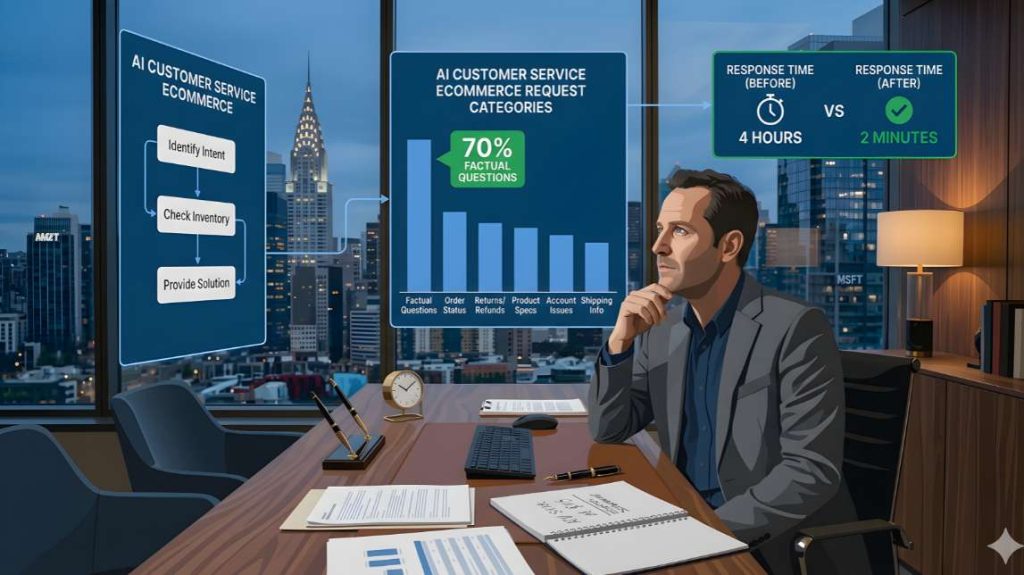
Before automating, understand precisely what your customers ask. Export your last 200 support conversations. Classify them by category.
Create a simple table. Column 1: request type. Column 2: frequency. Column 3: average resolution time. Column 4: requires human or not.
WISMO inquiries, meaning “where is my order,” make up 30 to 40% of all ecommerce support tickets, and over 50% during peak seasons. [Ringly] These requests are repetitive, predictable, and perfect for automation.
Identify your top 15 request types. These become your automation priorities.
Configure the chatbot on factual questions
Do not attempt to create a sophisticated conversational chatbot from the start. Start simple with direct answers to frequent questions.
Effective basic structure: the bot introduces itself. It offers 5 options as buttons. Order tracking, returns and exchanges, delivery times, product availability, other question.
AI-powered chatbots now handle 30 to 40% of customer support inquiries before human involvement. [eDesk] For standard questions like order status or return procedures, chatbots handle these faster and without human cost.
Test your configuration for one week. Measure resolution rate without transfer. If below 50%, your options do not match real requests. Adjust and retest.
Integrate your ticketing system
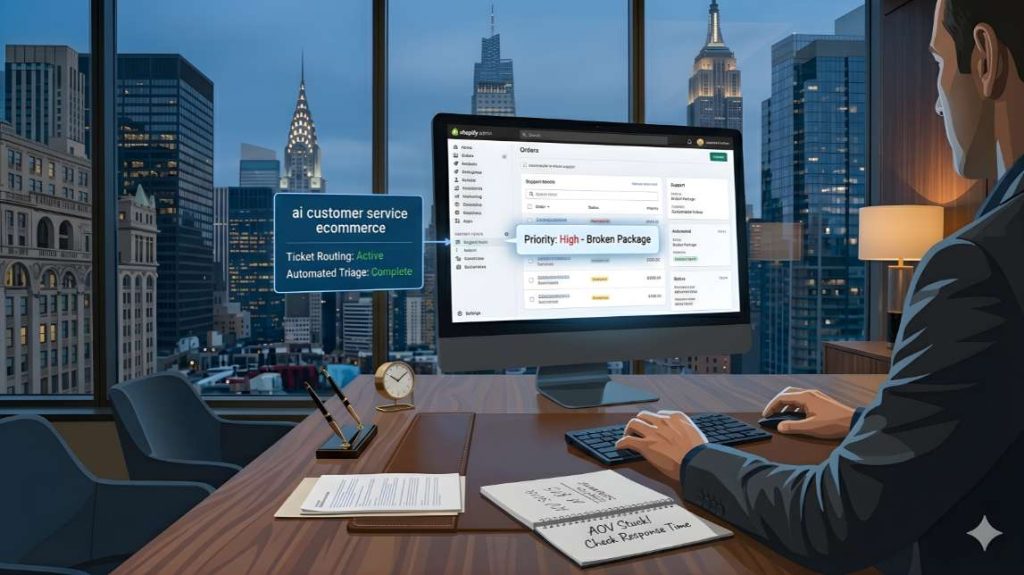
Once the chatbot is operational on simple questions, connect your ecommerce support automation tools for complex requests.
Essential configuration: every ticket must automatically contain the customer’s order history, previous conversations, and detected request category.
Automated ticket routing reduces average response time from 8 hours to 3.5 hours. [eDesk] Your team finds their assigned tickets each morning with all necessary information already attached.
Define your priority rules. High urgency for defective products, missing deliveries, or payment problems. Normal urgency for product questions. Low urgency for suggestions and feedback.
Create your template response library
Even complex requests often contain standard elements. Your team retypes the same explanations multiple times per day.
Create 20 response templates for recurring situations. Apology for delivery delay. Detailed return procedure. Explanation of customs fees for international shipments.
These templates are not rigid. Your team adapts them to each customer’s context. But they provide structure and essential information.
Gorgias and Zendesk allow inserting these templates with one click. Your agent types a keyboard shortcut. The template inserts. They adjust the customer’s name and send.
Key insight: mapping your requests before deploying your ecommerce support automation tools is the step most SMBs skip. It is also the one that determines whether your system saves time or creates new problems.
3 mistakes that break your ecommerce chatbot automation system
Mistake 1: the chatbot that holds customers hostage
Some bots refuse to transfer to a human. The customer explicitly asks to speak to someone. The bot responds “I can help you” and loops on its preprogrammed questions.
This experience deeply frustrates customers. They leave immediately or leave a negative review.
Absolute rule: always offer human transfer from the second interaction if the bot does not resolve the request. Respect any explicit request to speak to a human immediately.
A “speak to a person” button must be permanently visible in the chat interface. No exceptions.
Mistake 2: out-of-context automated responses
A customer writes “my package still hasn’t arrived after 15 days.” The automated system responds “our delivery times are 3 to 5 business days.” Technically correct but totally inappropriate.
The customer is not asking about standard times. They are reporting a problem. This automated response worsens the situation.
Solution: configure distress keywords that automatically trigger priority transfer. Still not received, broken, defective, unacceptable. These terms indicate a serious problem. The bot must immediately hand off to a human with high priority.
Mistake 3: absence of proactive follow-up
Reactive support answers requests. Proactive support anticipates problems.
Your ecommerce chatbot automation system detects that an order is more than 48 hours late. Instead of waiting for the customer to contact support, send an automatic message. Inform about the delay, explain the situation, propose a solution.
Brands that implement proactive shipping notifications across email and SMS typically see a 60 to 70% reduction in WISMO tickets within 60 days. [Ringly]
Zendesk and Gorgias allow creating automatic triggers based on events. Order delayed, product out of stock after order, package returned to sender. Each event triggers a proactive message.
Key insight: the 3 most common mistakes in ecommerce chatbot automation all share one root cause: building a system that serves the business instead of the customer.
AI helpdesk ecommerce: the 4 metrics that reveal if your system works
Metric 1: first contact resolution rate
How many requests are resolved without additional exchange.
The industry benchmark average for first contact resolution is 70%. Most businesses should strive to hit that number. [Zendesk] If your rate is significantly lower, your responses lack precision or your processes are too complex.
Metric 2: time to first response
Delay between customer request and first interaction.
The best companies tend to respond to customer tickets within 2 minutes. [Peak Support] For transferred requests, top performers reply within 1 hour. [Salesmate] If your AI helpdesk ecommerce system is not hitting these numbers, review your chatbot configuration and ticket routing rules.
Metric 3: customer satisfaction rate
Request feedback after each resolved conversation. Use a simple 5-star rating.
Best-in-class organizations maintain customer satisfaction scores above 4.5 out of 5. [Fullview] If your score falls below this benchmark, identify your 1 and 2-star conversations. Analyze the recurring problems. Fix the root cause, not the symptom.
Metric 4: request volume by time slot
Monitor when your customers contact support. Identify your peak hours.
If a significant portion of requests arrive outside your business hours, your chatbot must be particularly effective during these periods. This is where 24/7 automation delivers its highest value.
Key insight: these 4 metrics tell you whether your AI helpdesk ecommerce system is working for your customers or just running in the background. Track them weekly, not monthly.

From support cost to revenue lever
An AI customer service ecommerce system does not replace your team. It frees them.
Your chatbot handles repetitive requests. Your helpdesk routes complex tickets automatically. Your knowledge base deflects up to 40 to 60% of incoming queries before they reach an agent.
Together, these 3 tools reduce your costs, improve your response time, and increase your conversion rate.
But this system works only when it is part of a broader automation architecture. A chatbot without a workflow map creates new problems. A helpdesk without priority rules wastes your team’s time.
The next step is to design the complete system before choosing any tool.
Read next: AI e-commerce automation architecture: how US SMBs should design systems before choosing tools