
Most automation projects fail before the first workflow is built.
They fail at the decision stage. Founders automate the wrong processes, at the wrong time, for the wrong reasons. The automation works technically, but it doesn’t deliver the outcome they expected. Sometimes it creates new problems worse than the inefficiency they were trying to solve.
This happens because most SMBs approach automation with tool-first thinking. They see a capability and ask, “Can we automate this?” instead of asking, “Should we automate this — and if so, how much control do we need to maintain?”
This is exactly why an AI automation decision framework is essential.
An AI automation decision framework gives small businesses clarity before execution, control before speed, and judgment before delegation. It helps founders decide what to automate, what to assist with AI, and what to keep manual. It’s not about automating more. It’s about automating better.
Table of Contents
Why most AI automation projects fail at the decision stage
Automation projects don’t fail because of bad execution. They fail because of bad decisions about what to automate and when.
Tool-first thinking vs decision-first thinking
Tool-first thinking starts with a capability and looks for problems to solve. You discover an AI tool that can automate email sequences, so you automate email. You find a system that can score leads, so you automate lead scoring. The tool drives the decision.
Decision-first thinking starts with clarity on what outcome you’re trying to achieve, then evaluates whether automation delivers that outcome better than the current process, and finally selects tools that fit the decision.
A consulting firm in Oklahoma City automated client intake using tool-first logic. The system collected information through forms and routed leads based on project type. It worked technically, but it didn’t improve conversion because the real bottleneck wasn’t data collection. It was qualification. Clients needed conversation to understand fit, not faster form submission.
Tool-first thinking optimizes for automation coverage. Decision-first thinking optimizes for outcomes. Coverage feels productive, but outcomes are what matter.
The illusion of productivity gains
Productivity gains are real when automation removes a genuine constraint. They’re illusory when automation speeds up a process that wasn’t the bottleneck or when the time saved is offset by maintenance cost.
A solo founder in Baton Rouge automated social media scheduling. The system posted content across platforms on a predetermined schedule. The founder assumed automation would save time and increase consistency. Six months later, the founder realized the bottleneck wasn’t posting. It was content creation. Automating distribution didn’t solve the constraint. It just made the constraint less visible.
Illusory productivity happens when you automate motion without removing friction. The activity increases, but the outcome doesn’t improve proportionally.
Before automating, identify the actual constraint. If automation doesn’t remove or reduce that constraint, it won’t create meaningful productivity gains regardless of how much motion it generates.
The AI automation decision framework (overview)
The framework is built on four steps. Each step must be completed before moving to the next. Skipping steps leads to automation that works technically but fails strategically.
Step 1: Define the decision, not the task
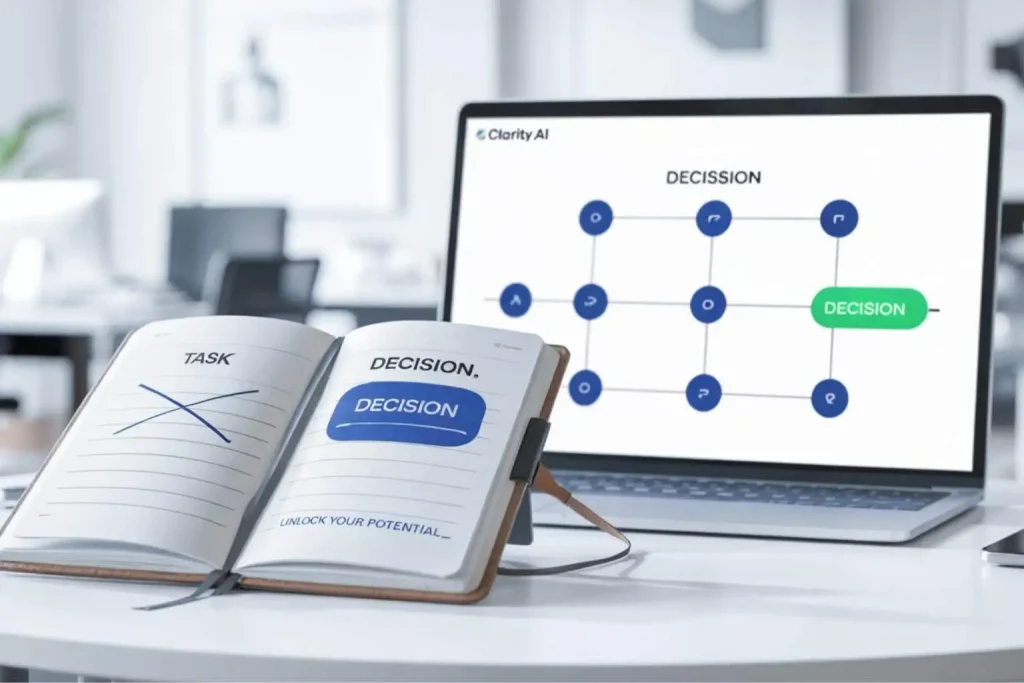
Automations don’t automate tasks. They automate decisions embedded in tasks. Every automation makes choices: which email to send, which lead to prioritize, which task to route, which data to surface.
Most founders define automation opportunities by task: “automate invoicing,” “automate follow-ups,” “automate reporting.” But tasks contain multiple decisions, and not all decisions should be automated.
A marketing agency in Sioux Falls wanted to automate client reporting. The task was “generate and send reports.” But the decisions inside that task were: what metrics matter for this client, how should performance be framed, when should the report go out, and what context should accompany the data.
The agency realized that metric selection and framing required judgment. Timing and delivery could be automated. By defining the decision, not just the task, the agency automated execution but kept humans in the strategic loop.
Define the decision clearly before automating anything. What choice is being made? What criteria will guide that choice? What happens if the choice is wrong? If you can’t answer, you’re not ready to automate.
Step 2: Measure impact vs reversibility
Impact is the value created if the automation works well. Reversibility is the cost and difficulty of undoing the automation if it doesn’t work or if context changes.
High-impact, high-reversibility automations are low-risk opportunities. Automate execution, monitor outcomes, and reverse quickly if needed. High-impact, low-reversibility automations are high-risk. They create value but lock you in. Low-impact automations aren’t worth the maintenance cost regardless of reversibility.
A SaaS company in Fargo evaluated automating customer onboarding emails. Impact was high: better onboarding could improve activation and reduce churn. Reversibility was high: if the emails didn’t work, the company could pause the automation and return to manual outreach without losing customer relationships.
The company automated. Three months later, they adjusted the sequence based on engagement data. Because reversibility was high, adjustments were fast and low-cost.
Contrast that with automating pricing decisions. Impact is high, but reversibility is low. Changing prices affects customer perception, contract terms, and competitive positioning. Reversing a pricing automation isn’t as simple as pausing a workflow.
Measure both dimensions before deciding. If impact is unclear or reversibility is low, reconsider whether automation is the right move.
Step 3: Evaluate risk and control level

Risk is the cost of failure. Control is the oversight and intervention capability you maintain after automating.
Low-risk automations can run with light oversight. High-risk automations need tighter control: approval checkpoints, monitoring thresholds, and manual override options.
A real estate agency in Reno automated appointment scheduling. Risk was low: if a booking failed, clients could reschedule. Control was minimal: the operations lead spot-checked the calendar weekly.
The same agency considered automating contract generation. Risk was high: incorrect contract terms could create legal exposure or client disputes. Control needed to be tight: contracts generated by the system were reviewed by a licensed agent before being sent to clients.
Risk and control must be proportional. If you automate high-risk processes with low control, you’re creating operational exposure. If you apply high control to low-risk processes, you’re over-engineering and slowing yourself down.
Evaluate risk honestly. Design control to match. Don’t assume automation reduces risk. Often it amplifies it by scaling decisions faster than you can monitor them.
Step 4: Decide automate / assist / keep human

This is the final decision: full automation, partial automation, or manual execution.
Full automation removes humans from execution entirely. The system decides and acts. Use this when the decision is clear, the risk is low, and the process is stable.
Partial automation (assist) keeps humans in the decision loop but automates preparation. The system gathers data, surfaces options, and recommends actions. The human decides. Use this when the decision requires judgment but the preparation is repetitive.
Manual execution keeps the process entirely human. Use this when the decision is strategic, high-stakes, or relationship-dependent.
A design studio in Cedar Rapids used this step to evaluate client proposal generation. Full automation wasn’t appropriate because proposals required customization based on client conversations. Manual execution was inefficient because much of the content was templated. The studio chose partial automation: the system generated draft proposals based on intake data, and designers customized them before sending.
This is the decision that matters most. Automate when it’s safe and valuable. Assist when judgment is required but efficiency matters. Keep manual when automation would remove too much control or introduce too much risk.
Control before speed: the clarity principle
Speed feels productive. Control feels slow. But speed without control doesn’t build systems. It builds dependencies that fail invisibly.
Why clarity beats execution speed
Clarity is understanding what you’re automating, why it matters, and what happens if it fails. Execution speed is how fast you can implement.
Most founders prioritize execution speed. They want results quickly. But fast execution without clarity creates automation that works until context changes, and then it doesn’t.
A consulting firm in Wilmington automated lead scoring in two days. The system ranked leads based on engagement signals: email opens, website visits, form submissions. It worked initially, but three months later the firm realized it was deprioritizing high-value leads because high-value prospects researched quietly and didn’t generate the engagement signals the system was optimized for.
The firm had execution speed but not clarity. They automated before understanding what made a lead valuable beyond surface engagement.
Clarity prevents this. When you’re clear on what decision the automation is making and what criteria define success, you build systems that stay aligned with intent even as context evolves.
Execution speed matters, but only after clarity exists. Clarity first, speed second.
The cost of unclear automation logic
Unclear automation logic means you don’t fully understand how the system is making decisions or what criteria it’s using.
This happens when you implement pre-built automations without customizing them, when you automate complex processes without mapping decision points, or when you rely on AI systems that optimize for patterns you haven’t explicitly defined.
A marketing agency in Eugene automated content distribution. The system selected which content to promote based on engagement history. The agency didn’t define engagement clearly, so the system optimized for clicks and shares without considering conversion quality. High-engagement content wasn’t driving business results, but the automation kept promoting it because engagement was the only signal it had.
Unclear logic creates drift. The automation optimizes for something, but that something might not align with your actual goals. Over time, the gap widens, and you don’t notice until outcomes stop matching expectations.
Before automating, define the logic explicitly. What criteria matter? How should trade-offs be resolved? What signals should the system ignore? If you can’t define this clearly, you’re not ready to automate.
When automation makes sense (clear green zones)
Not all processes should be automated, but some are strong candidates. Green zones are situations where automation creates clear value with manageable risk.
Repetitive execution with low risk
Repetitive execution means the same steps happen the same way every time. Low risk means failure cost is small and reversible.
A logistics company in Anchorage automated shipment tracking updates. The process was identical for every shipment: pull tracking data, update internal dashboards, notify relevant team members. Risk was low: if an update failed, it could be manually corrected without customer impact.
This is a green zone. The process is stable, repetitive, and low-stakes. Automation delivers efficiency without introducing meaningful risk.
Green zone automations are where you should start. They build confidence, demonstrate value, and create operational leverage without requiring heavy governance.
Data-backed, reversible actions
Data-backed actions are decisions driven by clear, reliable data. Reversible actions are choices that can be undone quickly if needed.
A SaaS company in Topeka automated trial extension offers. When users hit specific engagement milestones during trials, the system offered an additional week. The decision was data-backed: engagement predicted conversion. The action was reversible: if the offer didn’t convert users, the cost was minimal.
This is another green zone. The decision criteria are clear, the data is reliable, and the risk of error is low. Even if the automation doesn’t deliver the expected outcome, reversing or adjusting it is straightforward.
Look for opportunities where both conditions exist: the decision is supported by trustworthy data, and the action can be reversed or adjusted without major disruption.
When automation should be limited or blocked
Red zones are situations where automation introduces more risk than value. These are processes that should stay manual or move to partial automation only.
Strategic decisions
Strategic decisions are choices that define direction, positioning, or identity. They require judgment shaped by experience, intuition, and long-term thinking.
A solo founder in Santa Fe considered automating pricing decisions. An AI system could analyze competitor pricing, demand signals, and willingness to pay, then adjust prices dynamically. The data was available. The capability existed.
The founder chose not to automate. Pricing wasn’t just a revenue optimization problem. It was a positioning decision. The founder wanted control over how the business was perceived, what customer segment it attracted, and what value it communicated.
Strategic decisions belong in red zones. Automate the analysis. Surface the data. But keep the decision human.
Brand, trust, and customer experience
Brand, trust, and customer experience are built through consistency, authenticity, and relationship. Automating these areas too aggressively risks eroding the intangible assets that make a business valuable.
A consulting firm in Savannah automated client communication during project kickoff. The system sent welcome emails, outlined timelines, and shared resources. It was efficient, but clients felt the process was transactional. The firm’s value proposition was personalized strategic guidance, and the automated kickoff undermined that perception.
The firm moved to partial automation. The system prepared communication drafts, but consultants personalized them before sending. Efficiency improved, but the client experience stayed aligned with brand expectations.
Automate support functions. Automate execution. But protect the touchpoints that define how customers perceive your business.
From decision to system: how to move safely
Once you’ve decided to automate, moving to implementation requires connecting decisions to governance.
Linking decisions to governance
Decisions define what to automate and how much control to maintain. Governance translates those decisions into systems that enforce control as the automation scales.
If the decision framework tells you an automation is high-risk and requires weekly oversight, governance defines who reviews it, what they’re checking, and what happens if problems surface.
A design agency in Providence used the decision framework to evaluate client file delivery automation. The framework identified moderate risk: file errors could delay projects and frustrate clients. Governance defined the control system: automated deliveries were logged, the project manager spot-checked deliveries weekly, and clients received a confirmation request to verify receipt.
The decision framework sets the strategy. Governance executes the strategy over time.
For more on building governance systems that scale, see AI automation governance.
Transition to implementation without loss of control
Implementation is where many automations fail. You design control, but when you move to execution, control gets diluted or ignored because it slows things down.
The key is building control into the automation from the start, not adding it later. Approval checkpoints, monitoring logs, and manual override options should be part of the initial design, not afterthoughts.
A law firm in Boise automated document review. The system flagged high-risk clauses for attorney review. Control was designed in: flagged documents went to a review queue, attorneys could override the system’s assessment, and the system logged all flags and overrides for pattern analysis.
Control didn’t slow the process. It protected it. The automation ran fast for low-risk documents and applied appropriate oversight for high-risk ones.
Design control into implementation. Don’t assume you can add it later. Later rarely happens, and by then, the automation is running unsupervised.
What the decision framework gives you
The AI automation decision framework doesn’t make automation slower. It makes it more reliable.
With an AI automation decision framework, you automate with clarity. You know what you’re automating, why it matters, and what level of control you need to maintain. You avoid costly mistakes. You scale operations without scaling risk.
Without a structured AI automation decision framework, automation becomes reactive. You automate whatever feels inefficient, hope it works, and discover problems only after they’ve compounded.
The difference between automation that creates leverage and automation that creates liability is decision discipline. Use the AI automation decision framework. Automate strategically. Protect control. That’s how small businesses scale without losing clarity.
For specific failure patterns to avoid, see when not to automate with AI. For reducing decision overload while maintaining judgment, see reduce decision fatigue with AI. For maintaining control as systems scale, see AI automation governance. For building clarity before speed, see AI automation clarity framework.
The AI automation decision framework connects them all. It’s the strategic layer that ensures automation serves your business instead of running it.