

Sixty percent of automation projects stall in the first 90 days not because the technology fails, but because businesses lack a clear AI automation implementation checklist.
You’ve done the hard work. You calculated positive ROI using our AI automation ROI calculator. You chose the right tool from our AI automation tools ROI guide. Now comes the crucial part: turning that decision into a deployed, working automation that actually delivers the savings you projected.
This AI automation implementation checklist provides a day-by-day tactical plan for your first 30 days. You’ll get specific actions for each week, checklists you can follow immediately, and frameworks for measuring progress. No theory. No vague advice. Just the exact steps that help small businesses go from “we should automate” to “automation is saving us 10+ hours weekly.”
Table of Contents
Before day 1:Pre-implementation preparation .
Don’t start Day 1 until these prerequisites are complete. Skipping preparation is the fastest way to derail your AI automation implementation checklist.
ROI projection documented: You need baseline metrics recorded, expected time savings calculated, and target payback period defined. This becomes your scorecard for measuring actual performance.
Tool selected and purchased: Account created, payment method set up, trial period activated if applicable. No “we’ll figure out which tier later” – commit to a specific plan before Day 1.
Process mapped in detail: Current workflow documented step-by-step. Pain points identified. Success criteria defined. You can’t automate what you haven’t clearly mapped.
Stakeholder buy-in secured: Team informed about upcoming changes, key users identified, implementation champion assigned. Surprises kill adoption.
Time blocked for implementation: Reserve 2-4 hours daily for Week 1, 1-2 hours daily for Weeks 2-4, plus buffer time for unexpected issues.
Quick preparation checklist:
- ROI projection saved
- Tool account active
- Current process documented
- Team notified
- Calendar blocked
- Manual backup process documented
Understanding AI-powered business automation provides strategic context for where your first automation fits in broader operational transformation.
Week 1: AI automation implementation checklist tool setup & first test
Week 1 focuses on getting the tool configured correctly and testing your first simple automation. Don’t aim for perfection aim for one working automation by Friday.
Day 1-2: Initial setup & account configuration
Day 1 tasks (2-3 hours):
Morning: Complete account setup with profile, company information, and billing. Connect primary integrations: email, calendar, CRM. Explore dashboard and main features. Watch official setup tutorials from your vendor.
Afternoon: Set up team members or seats if multi-user. Configure notification preferences. Set up mobile app if available. Test basic connectivity between apps.
According to Zapier’s automation research, teams that spend Day 1 on proper security configuration and integration setup experience 60% fewer implementation problems in the first 30 days.
Security configuration checklist:
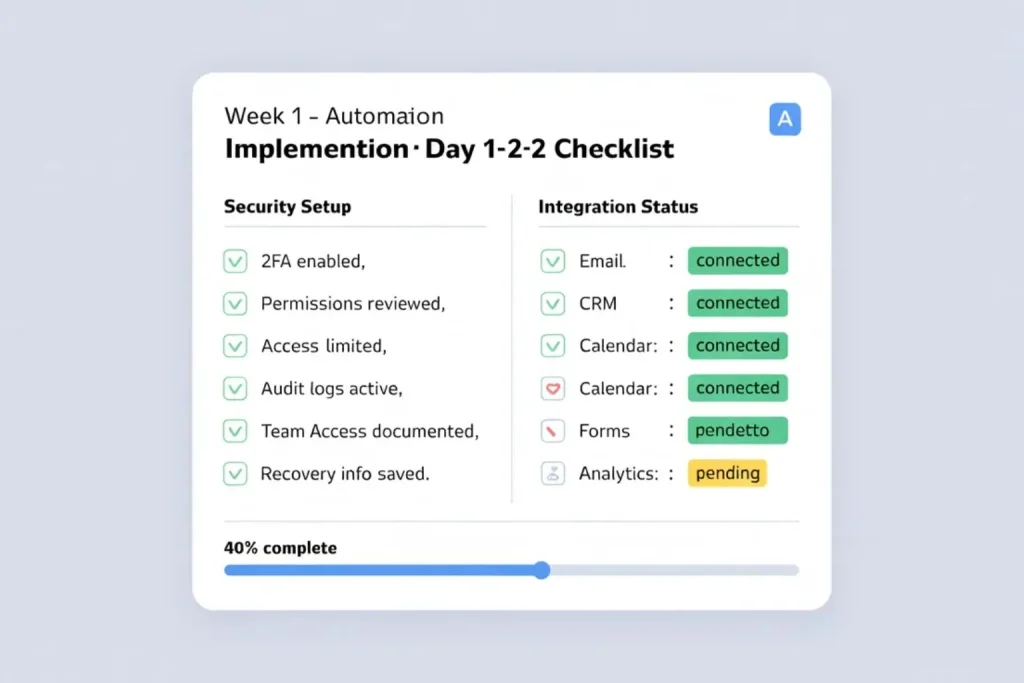
Before connecting any integrations:
- Enable 2FA on automation tool account
- Enable 2FA on all connected apps
- Review API permission requests
- Grant minimum necessary access only
- Deny “full account access” if not needed
- Check data access scopes
- Set up activity monitoring/audit logs
- Document which team members have access
- Create recovery contact information
Red flags to reject:
- Tool requests more permissions than needed
- No option to limit data access
- Can’t enable 2FA
- No audit trail available
Security isn’t optional. Take 15 minutes on Day 1 to configure properly.
Success metric: All core integrations showing “connected” status with proper security settings.
Build your first simple automation
Choose your first automation strategically using this AI automation implementation checklist criteria:
- High frequency (runs multiple times daily)
- Simple logic (if-then, no complex branches)
- Clear success/failure indicators
- Low risk if something breaks
Good first automation examples:
- New form submission creates CRM contact and sends email notification.
- New email in specific folder creates task and notifies team.
- New order updates inventory and sends confirmation.
Avoid for first automation:
- Complex multi-step workflows with 10+ actions.
- Automations touching financial or payment systems.
- Processes with unclear success criteria.
Day 3: Map first automation on paper. Identify trigger event. List all required actions. Note required data fields.
Day 4: Build automation in tool. Configure each step. Set up error handling. Add logging and notifications. Save but don’t activate yet.
Success metric: Automation built and saved, ready for testing.
Day 5-7: Test, validate, deploy first automation
Day 5 – Internal testing: Trigger automation manually with test data. Verify each step executes correctly. Check data accuracy. Confirm notifications work. Review logs for errors.
Day 6 – Parallel processing: Run automation alongside manual process. Process 5-10 real cases. Compare automated versus manual results. Note any discrepancies. Adjust automation as needed.
Day 7 – Go live (limited): Activate for 25% of volume. Monitor closely first 4 hours. Keep manual process ready as backup. Document any issues.
Emergency rollback protocol:
When to rollback:
- Success rate drops below 90%
- Errors multiply (>5% error rate)
- Data integrity issues detected
How to rollback (3-step process):
- Pause automation (turn off trigger)
- Revert to manual process
- Process backlog manually while investigating
Week 1 AI automation implementation checklist:
- Tool fully configured with security
- Core integrations connected
- First automation built
- Testing completed (5-10 cases)
- Automation live at 25% volume
- Rollback protocol documented
- Monitoring system in place
Week 2: AI automation implementation checklist team training & quick wins
Week 2 shifts focus to your team. Train them on the automation you built, identify quick wins, and start documenting your process.
Day 8-10: Hands-on tool training
kip the PowerPoint. Focus on practice.
Day 8 – Show, don’t tell (1 hour session): Demonstrate the working automation. Show how to check if it worked. Explain what to do if it fails. Let each person trigger it once. only.
Addressing the “Will I be replaced?” fear:
Before training begins, acknowledge directly: “This automation isn’t replacing anyone. It’s eliminating the repetitive work nobody enjoys so you can focus on what requires human judgment.”
Show concrete example :
- Before: 8 hours weekly on data entry
- After: 1 hour weekly reviewing automation
- Freed 7 hours go to: client relationships, strategic projects, problem-solving
Key message: Automation elevates your role, not eliminates it.
Day 9 – Supervised practice (1 hour per person): Each team member processes 2-3 real cases. Watch them use the tool. Note confusion points. Fix misunderstandings immediately. Update documentation based on questions.
Day 10 – Independent practice: Team members handle automation monitoring. You remain available for questions. Track how often they need help. Identify knowledge gaps.
Training success metrics:
- Can team member check automation status?
- Can they identify failed automations?
- Do they know who to contact for issues?
- Confidence level (1-5 scale)?
Day 11-14: Document process & identify next automations
Day 11-12 – Create simple documentation:
- How the automation works (simple flowchart)
- How to check if it worked
- Common issues and fixes
- Who to contact for help
- When to use manual process instead
Format: One-page visual guide, not 10-page manual.
Day 13-14 Quick wins identification:
With your team, identify 2-3 additional high-frequency processes similar to your first automation. Calculate clear ROI for each. Rank by ease of implementation times time saved.
Week 2 AI automation Implementationche cklist:
- All team members trained
- Team resistance addressed
- First automation at 50-75% volume
- Documentation created
- 2-3 next automations identified
- Team confidence measured
Week 3: Week 3: AI automation implementation checklist scale & add second process
Week 3 is about confidence and expansion. Scale your first automation to 100%, build your second automation, and start seeing real time savings.
Day 15-17: Scale to full volume
Day 15 Review week 1-2 performance:
Pull your metrics from this AI automation implementation checklist: Success rate of first automation, time saved, error rate, team adoption rate.
Decision criteria for scaling:
- Success rate above 95%.
- Error rate below 2%.
- Team comfortable monitoring.
- No major issues in past week.
Day 16 – Increase to 100% volume: Remove manual backup process. Set up alerts for failures. Brief team on full rollout. Monitor first 24 hours closely.
Day 17 – Optimization: Review logs from full volume day. Identify bottlenecks. Adjust timing or triggers if needed. Update documentation.
According to McKinsey’s digital transformation research, businesses that scale automation incrementally are 3x more likely to achieve projected ROI than those that deploy all at once.
Day 18-21:
Your second automation should take 40-50% less time than your first because you now understand the tool’s quirks, common integration issues, team training needs, and documentation requirements.
Day 18-19 – Build second automation: Use same methodology as Week 1. Apply lessons from first automation. Build in 4-6 hours instead of 8-10.
Day 20 – Test second automation: Compressed testing (1 day instead of 3). Higher confidence from experience. Still use parallel processing.
Day 21 – Deploy at 50% volume: Faster ramp-up than first automation. Team already comfortable with tool. Monitor less intensively.
Week 3 AI automation implementation checklist:
- First automation at 100% volume
- First automation optimized
- Second automation built & tested
- Second automation at 50% volume
- Cumulative time savings measured
Week 4: AI automation implementation checklist measure ROI & plan next phase
Week 4 is assessment week. You measure actual results against projections, calculate real ROI, and decide what to automate next.
Day 22-24: Calculate actual ROI
Day 22 Gather actual data:
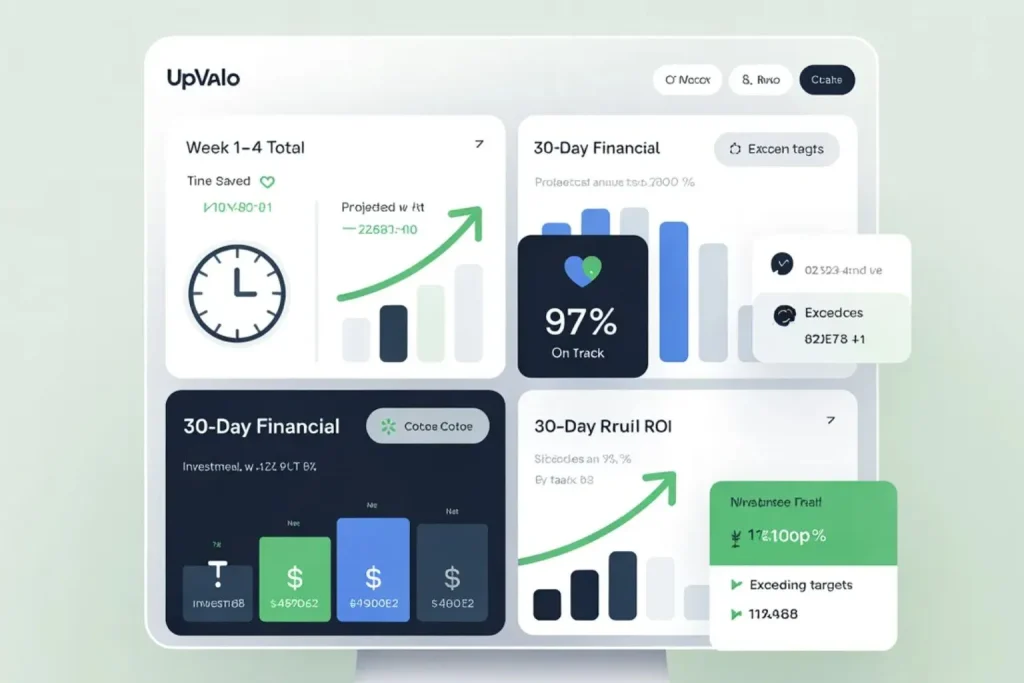
Collect from Weeks 1-4: Total time saved, error reduction, process speed improvement, team satisfaction rating.
Compare to your projections from our AI automation ROI calculator.
Day 23 – Calculate financial impact:
ACTUAL COSTS (30 days):
- Tool cost (1 month): $….
- Implementation time: ….. hours × $….
- Training time: …. hours × $….
- Total 30-day cost: $….
ACTUAL BENEFITS (30 days):
- Time saved: …. hours × $ ….
- Errors avoided: …. × $ ….
- Total 30-day benefit: $ ….
30-Day ROI: ….%
- Projected annual ROI: ….%
- On track for payback in: …. months
What This Means .
If this 30-day performance continues:
- You’ll recover your investment in: …. months
- You’ll save: $…. this year
- That’s equivalent to: [relatable comparison]
Status check:
- Above projection = accelerate expansion
- On track = continue as planned
- Below projection = investigate and adjust
Day 24 – Adjust projections if needed:
If actual is below projected, identify why (slower adoption? tool limitations?). Adjust expectations or improve implementation. Recalculate realistic timeline.
If actual exceeds projected, document what worked well. Apply to next automations. Celebrate with team.
Day 25-28: Plan next Automations &long-term strategy
Day 25-26 – Review pipeline: From your identified processes, rank by actual ROI now that you have real data. Consider ease plus impact. Build 90-day automation roadmap.
Day 27 – Set up recurring reviews:
- Schedule weekly automation health check (15 minutes).
- Monthly ROI review and optimization (1 hour)
- Quarterly strategy review and expansion planning (2 hours).
Day 28 – Optimization opportunities: Review both automations. Can we reduce steps? Can we add error handling? Can we expand to related processes? Can we add reporting dashboards?
Day 29-30: Documentation & knowledge transfer
Day 29 – Update all documentation: Reflect actual process, not planned. Add troubleshooting based on real issues. Create visual workflows. Record short tutorial videos.
Day 30 – Knowledge transfer session: Share 30-day results with stakeholders. Show actual ROI achieved. Demonstrate working automations. Present 90-day roadmap. Get buy-in for expansion.
Week 4 AI automation implementation checklist:
- Actual ROI calculated
- Results versus projections compared
- 90-day roadmap created
- Recurring reviews scheduled
- Documentation updated
- Stakeholder presentation completed
five implementation mistakes that kill Automation Projects
Mistake 1: Trying to Automate Everything at Once Team gets overwhelmed. Nothing gets done well. Frustration builds. Project stalls. Fix: One process at a time. Master it. Then expand.
Mistake 2: Skipping Parallel Processing Automation goes live untested with real data. Errors multiply. Trust destroyed. Team reverts to manual. Fix: Always run automation alongside manual for 5-10 cases minimum.
Mistake 3: No Clear Success Criteria Can’t tell if automation worked. Arguments about whether it’s better. No way to prove ROI. Fix: Define metrics before Day 1. Track religiously.
Mistake 4: Inadequate Error Handling Automation fails silently. Issues discovered days later. Damage control required. Fix: Build alerts for every failure. Check logs daily first month.
Mistake 5: Stopping After Initial Deployment Automation runs but isn’t optimized. Small inefficiencies compound. ROI plateaus below potential. Fix: Schedule monthly optimization reviews. Continuously improve.
Your automation journey after day 30
You’ve completed your AI automation implementation checklist. Now what?
Immediate next steps (Day 31-60): Add 2-3 more automations using your proven methodology. Check our AI automation tools ROI guide for complementary tools that enhance your existing automation.
Recalculate ROI monthly using our AI automation ROI calculator. Track trends. Adjust as needed. Expand team involvement. Distribute monitoring responsibility. Build automation culture.
Long-term strategy (Day 60+): See our complete AI business automation guide for building an automation roadmap for Year 1, scaling from 2-3 automations to 20+, developing in-house automation expertise, and measuring business-wide automation ROI.
Thirty days transforms automation from idea to reality. The week-by-week AI automation implementation checklist prevents overwhelm. Real ROI gets measured, not estimated. Your team becomes trained and confident. The foundation gets built for scaling.
Print the weekly checklists. Block your calendar for Week 1. Start Day 1 tomorrow. Measure everything. Celebrate wins.
The difference between businesses that automate successfully and those that don’t isn’t tools or budget it’s following a clear AI automation implementation checklist.